Build Intelligent Hybrid MCP Servers: Master MCP Admin’s Knowledge Base & Vector Storage
Build Intelligent Hybrid MCP Servers: Master MCP Admin’s Knowledge Base & Vector Storage
Imagine an AI system that remembers everything. Every conversation, every document, every data point—instantly accessible through intelligent semantic search.
That’s the power of a knowledge base built into your MCP Server through MCP Admin. Instead of Claude, OpenAI, and Gemini starting from scratch each time, they have access to your complete organizational memory—searchable, indexed, and optimized for lightning-fast retrieval.
In this comprehensive guide, you’ll learn how to build hybrid MCP servers that combine tools, integrations, web search, and persistent knowledge bases into unified AI infrastructure.
The Problem: AI Without Memory
Each Conversation Starts from Zero
Traditional AI workflows have a critical limitation: every conversation is isolated.
You explain your business to Claude. She provides brilliant analysis. You close the chat.
Next week, you start a new conversation. Claude has no memory of last week’s discussion. You repeat everything. You re-explain your business model, your goals, your constraints.
Multiply this across your organization: 50 employees, 100 conversations per day, each one starting from zero. That’s wasted context, repeated explanations, and missed opportunities for AI to build deeper understanding.
The Context Waste Problem
- 💬 Repeated Explanations: Every new conversation requires re-educating the AI
- 📚 Lost Knowledge: Insights from previous conversations disappear
- ❌ No Organizational Memory: Company knowledge isn’t accessible to AI
- 🔄 Inconsistent Responses: Without shared context, AI can give conflicting advice
- ⏱️ Time Waste: Users spend time providing context instead of getting work done
- 💰 Token Waste: Every explanation burns tokens that could be saved with memory
The Enterprise Challenge
For enterprises, the challenge multiplies:
- Sales team can’t access customer history across all conversations
- Support team reinvents solutions for repeated problems
- Engineers rewrite documentation scattered across different AI conversations
- Leadership can’t ensure consistent AI guidance across teams
You need organizational memory. You need a knowledge base.
What Is a Knowledge Base? (And Why It’s Game-Changing)
Definition: Semantic Memory for AI
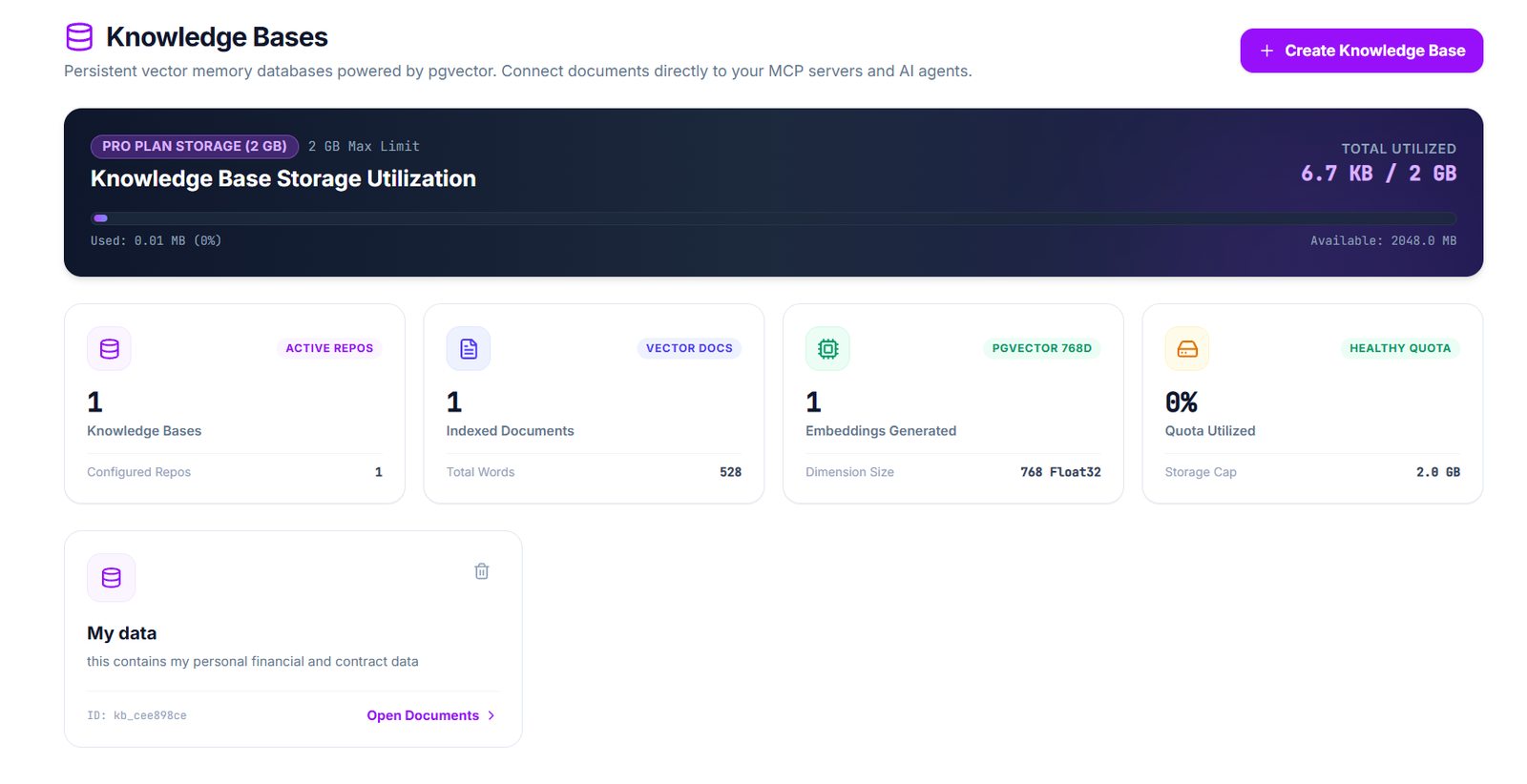
A knowledge base is a persistent, searchable repository of information that AI systems can access and build upon. Unlike traditional databases, knowledge bases use semantic search—meaning they understand meaning, not just keywords.
Traditional Database Search:
Query: "customer revenue"
Result: Only documents with exact phrase "customer revenue"
Misses: "client sales," "account profitability," "customer lifetime value"
Knowledge Base Semantic Search:
Query: "customer revenue"
Result: Understands intent, returns all documents about:
- Customer sales and profitability
- Account revenue trends
- Client lifetime value
- Subscription revenue models
- All semantically related information
Key Capabilities
- 🔍 Semantic Search: Find information by meaning, not keywords
- 💾 Vector Storage: Convert documents to mathematical representations
- 🎯 Instant Retrieval: Get relevant context in milliseconds
- 🔗 Cross-Reference: Connect related information automatically
- 📈 Relevance Ranking: Surface the most relevant information first
- ♻️ Persistent Memory: Information stays available across all conversations
- 🔐 Filtered Access: Control who can access what information
How MCP Admin’s Knowledge Base Works
Architecture: The Three-Layer System
Layer 1: Ingestion & Vectorization
Feed your knowledge into MCP Admin:
- 📄 Documents (PDFs, Word docs, text files)
- 🌐 Web pages and URLs
- 📧 Email conversations and threads
- 💬 Chat histories and transcripts
- 📊 Spreadsheets and databases
- 🎥 Video transcripts
- 💻 Code repositories and documentation
MCP Admin automatically:
- Chunks the content – Breaks documents into semantic units
- Generates embeddings – Converts text to vectors (mathematical representations)
- Stores in vector database – Saves embeddings for fast retrieval
- Creates metadata – Tags source, date, relevance, and relationships
Layer 2: Intelligent Retrieval
When Claude, OpenAI, or Gemini needs information:
- User Query – “What was our Q3 performance?”
- Query Vectorization – Convert query to mathematical representation
- Semantic Search – Find similar vectors in knowledge base
- Relevance Ranking – Sort by relevance score
- Context Delivery – Return top results to AI model
- AI Processing – Model uses context to generate response
Layer 3: Hybrid MCP Integration
Knowledge base connects with other MCP Admin capabilities:
┌─────────────────────────────────────┐
│     User Query / AI Agent            │
└──────────────┬──────────────────────┘
               │
        ┌──────▼──────┐
        │ Knowledge   │
        │ Base Search │────┐
        └─────────────┘    │
                           │
        ┌──────────────────▼──────────┐
        │  AI Model (Claude/GPT/Gemini)│
        └──────────────┬──────────────┘
                       │
        ┌──────────────▼──────────────┐
        │   Additional Tools           │
        │ - Web Search                 │
        │ - Integrations (100+)        │
        │ - Code Execution             │
        │ - Data Transformation        │
        └──────────────────────────────┘
Building Hybrid MCP Servers: Complete Architecture
The Five-Component System
A hybrid MCP server built with MCP Admin combines:
1. Knowledge Base (Persistent Memory)
- Organization’s complete information repository
- Semantic search across all documents
- Automatic relevance ranking
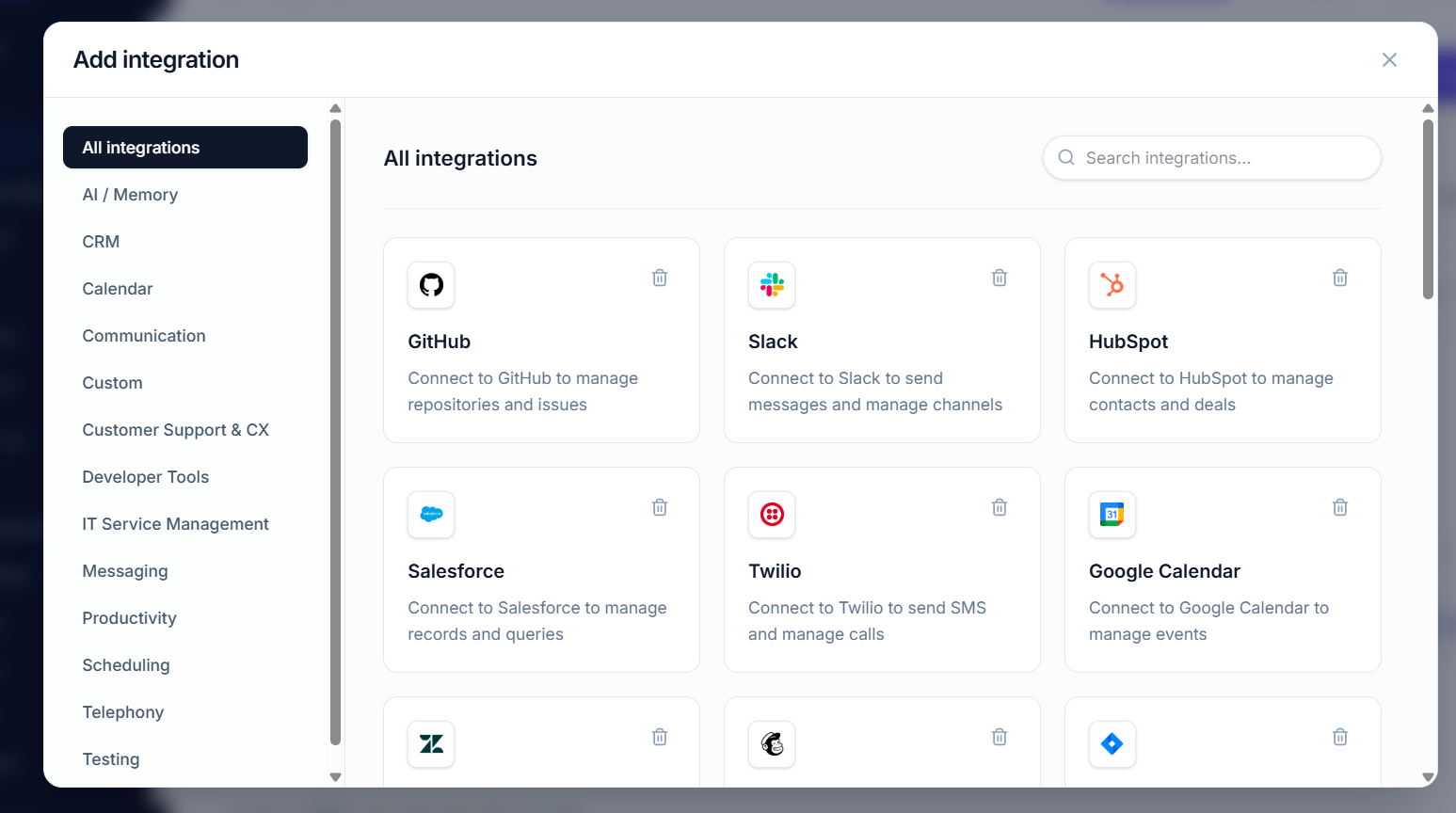
2. Integration Tools (100+ Services)
- CRM (Salesforce, HubSpot)
- Project Management (Asana, Jira, Monday.com)
- Communication (Slack, Gmail, Teams)
- Databases and Data Warehouses
- Custom APIs
3. Web Search (Real-Time Information)
- Access current information outside your knowledge base
- Real-time market data
- News and trends
- Competitor intelligence
4. AI Models (Multi-Model Orchestration)
- Claude for reasoning and analysis
- OpenAI for image generation and chat
- Gemini for multimodal understanding
- Local or custom models
5. Memory & State (Persistent Context)
- Store conversation history
- Track user preferences
- Maintain workflow state
- Cross-session continuity
How They Connect
User Query
    ↓
MCP Admin Orchestration
    ↓
┌───────────────────────────────────────┐
│ 1. Check Knowledge Base              │
│    (Internal documents)              │
├───────────────────────────────────────┤
│ 2. Check Integrations                │
│    (CRM, databases, tools)           │
├───────────────────────────────────────┤
│ 3. Search Web                         │
│    (Real-time data)                  │
├───────────────────────────────────────┤
│ 4. Access Memory                      │
│    (Context from past conversations) │
└───────────────────────────────────────┘
    ↓
Select Best AI Model
    ↓
Generate Response with Full Context
    ↓
Store in Memory for Future Use
Real-World Examples: Hybrid MCP in Action
Example 1: Intelligent Sales Assistant
Goal: Sales team member asks AI about a prospect
Traditional AI (Claude alone):
- “Who is Acme Corp?”
- Claude: “I don’t know”
- Salesperson manually searches CRM, explains context
- 30 minutes wasted on context gathering
Hybrid MCP (with Knowledge Base + Integrations):
- Step 1 – Knowledge Base Search
- Query: “Acme Corp”
- Returns: All internal documents about Acme
- Step 2 – Integration Access
- Queries: CRM for account history, Slack for conversations
- Returns: Contact info, deal history, communication threads
- Step 3 – Web Search
- Queries: Current news about Acme Corp
- Returns: Recent company updates, funding rounds, leadership changes
- Step 4 – AI Analysis
- Claude receives: Full history + CRM data + web intel
- Claude generates: Sales strategy, talking points, deal risk assessment
- Step 5 – Memory Storage
- Stores analysis in knowledge base
- Next conversation instantly retrieves context
Result: 2 minutes instead of 30. Perfect context. Strategic insights.
Example 2: Customer Support AI That Actually Knows Your Business
Scenario: Support agent asks about product compatibility
Traditional Support AI:
Agent: "Does our API work with Shopify?"
AI: "Yes, most APIs can integrate with Shopify"
Result: Generic answer, no company context
Hybrid MCP Support AI:
- Knowledge Base – Contains all technical documentation
- Integration Access – Connects to support ticket history
- Web Search – Current Shopify API changes
- AI Processing – Combines all sources
Result: Detailed answer specific to YOUR product, YOUR integrations
Example 3: Content Team Using Organizational Knowledge
Goal: Create blog post about company’s capabilities
Without Knowledge Base:
Writer: "What are our competitive advantages?"
AI: General information
Writer: Manually searches docs, emails, past content
Result: Inconsistent messaging, missed opportunities
With Knowledge Base:
- Knowledge base contains: Product docs, case studies, marketing materials, founding story, team bios
- AI queries knowledge base: Returns consistent brand voice, accurate details
- AI generates: High-quality blog post with organization-specific data
- Saves to knowledge base: Next content automatically references this
Result: Consistent messaging, comprehensive insights, 10x faster
Step-by-Step: Building Your Hybrid MCP Server
Phase 1: Plan Your Knowledge (1-2 hours)
Step 1.1: Inventory Your Knowledge
What information do you want in your knowledge base?
- Product documentation
- Company policies and procedures
- Customer case studies
- Past internal communications
- Market research and competitive analysis
- Team expertise and contact info
- Code repositories and technical specs
- Customer communication history
Step 1.2: Identify Integration Needs
For Sales: Salesforce, LinkedIn, email
For Support: Zendesk, Slack, previous tickets
For Ops: Jira, GitHub, internal databases
For Marketing: Google Analytics, HubSpot, WordPress
For Finance: QuickBooks, Stripe, spreadsheets
Step 1.3: Define Access Controls
Sales can access: CRM, customer documents, competitive intel
Support can access: Support tickets, product docs, FAQ
Finance can access: Only financial documents
Everyone can access: General company knowledge
Phase 2: Set Up MCP Admin (30 minutes)
Step 2.1: Create MCP Admin Workspace
- Visit https://mcpadmin.cloud
- Sign up for account
- Create workspace for your organization
Step 2.2: Connect Integrations
// Example: Connect Salesforce
{
  "integration": "salesforce",
  "api_key": "sf-xxx",
  "sync_frequency": "real-time"
}

// Example: Connect Slack
{
  "integration": "slack",
  "bot_token": "xoxb-xxx",
  "channels": ["#general", "#sales", "#support"]
}

// Example: Connect Email
{
  "integration": "gmail",
  "service_account": "xxx@iam.gserviceaccount.com",
  "folders": ["Important", "Work"]
}
Step 2.3: Connect AI Models
- Claude API key (Anthropic)
- OpenAI API key
- Gemini API key (Google)
Phase 3: Build Knowledge Base (2-4 hours)
Step 3.1: Document Ingestion
Upload to Knowledge Base:
1. Company Handbook (PDF)
2. Product Documentation (HTML docs)
3. Onboarding Guide (Google Doc)
4. FAQ Spreadsheet (CSV)
5. Case Study Library (Markdown)
Step 3.2: Set Auto-Sync Sources
Auto-sync:
- Slack #announcements (daily)
- GitHub wiki (on push)
- Google Drive /Company Knowledge (daily)
- Notion workspace (hourly)
- Support tickets (real-time)
Step 3.3: Configure Vector Database
- Chunk size: 1000 tokens
- Overlap: 200 tokens
- Embedding model: OpenAI text-embedding-3-large
- Update frequency: Real-time for new docs
Phase 4: Create Hybrid Workflows (3-6 hours)
Step 4.1: Build Sales Assistant Workflow
Workflow: "Intelligent Sales Assistant"

Trigger: User asks question about prospect/deal

Steps:
1. Search Knowledge Base
   Query: User input
   Return: Relevant docs, past interactions

2. Access Integrations
   - Query CRM for account history
   - Get email thread from Gmail
   - Pull deal status from Salesforce

3. Web Search (if needed)
   - Current news about prospect company
   - Market data and trends

4. Generate Response
   Model: Claude
   Input: Knowledge base results + integration data
   Output: Comprehensive sales strategy

5. Store in Memory
   Save analysis for future reference
Step 4.2: Build Support Workflow
Workflow: "Intelligent Support Assistant"

Trigger: Support agent or customer asks question

Steps:
1. Search Knowledge Base
   - Product documentation
   - FAQ and common solutions
   - Troubleshooting guides

2. Access Support Integration
   - Previous tickets from this customer
   - Issue history patterns
   - Resolution history

3. Generate Solution
   Model: Claude
   Output: Personalized troubleshooting steps

4. Escalate if Needed
   - Store complex issues in knowledge base
   - Flag for human review
   - Update FAQ if new solution found
Phase 5: Test & Optimize (2-4 hours)
Step 5.1: Test Knowledge Base Retrieval
- Test 20 common queries
- Verify correct documents are returned
- Check relevance ranking
- Adjust chunk sizes if needed
Step 5.2: Test Workflow Integrations
- Verify each integration connection
- Test data retrieval accuracy
- Check permission and access controls
- Measure latency
Step 5.3: Measure Retrieval Quality
Metrics to track:
- Average retrieval latency (target: <500ms)
- Relevance score of retrieved docs
- % of queries with sufficient context
- User satisfaction rating
- Comparison: time before vs after
Phase 6: Deploy & Monitor (Ongoing)
Step 6.1: Gradual Rollout
- Start with pilot team (sales or support)
- Gather feedback for 1-2 weeks
- Optimize based on feedback
- Roll out to broader organization
Step 6.2: Monitor Performance
- Track query latency
- Monitor retrieval accuracy
- Watch token usage per team
- Gather user feedback weekly
Step 6.3: Continuous Improvement
- Add new documents to knowledge base
- Remove outdated information
- Refine access controls
- Optimize vector embeddings
Technical Deep Dive: Vector Embeddings & Semantic Search
How Vector Embeddings Work
Document: "Claude is excellent at reasoning and analysis"

Process:
1. Text → Embedding Model
2. "Claude is excellent at reasoning and analysis"
   ↓
3. Mathematical Vector: [-0.123, 0.456, -0.789, ..., 0.234]
   (1536 dimensions)

Query: "Is Claude good for complex thinking?"

Process:
1. Query → Same Embedding Model
2. "Is Claude good for complex thinking?"
   ↓
3. Mathematical Vector: [-0.125, 0.450, -0.791, ..., 0.235]

Similarity Calculation:
- Compare vectors (cosine similarity)
- Score: 0.94 (very similar!)
- Result: Document matches query
Why Semantic Search Works
Traditional keyword search for "revenue":
- Misses: "income," "sales," "earnings," "profitability"
Semantic search for "revenue":
- Finds all documents about financial performance
- Understands synonyms and related concepts
- Ranks by relevance, not just keyword frequency
Real-World Benefits & ROI
Time Savings
| Task | Traditional | With Knowledge Base | Savings |
|---|---|---|---|
| Sales context lookup | 30 min | 2 min | 28 min/query |
| Support troubleshooting | 20 min | 3 min | 17 min/ticket |
| Policy lookup | 15 min | 1 min | 14 min/lookup |
| Onboarding new hire | 40 hours | 10 hours | 30 hours |
Example: 50-person support team, 100 tickets/day
Without Knowledge Base: 100 tickets × 20 min = 2,000 min = 33 hours/day
With Knowledge Base: 100 tickets × 3 min = 300 min = 5 hours/day

Daily Savings: 28 hours
Weekly Savings: 140 hours
Monthly Savings: 560 hours (7 full-time staff equivalent!)
Annual Savings: 6,720 hours

ROI: After 2-3 months, knowledge base pays for itself
Quality Improvements
- 📈 Response consistency (80%+ improvement)
- 💯 Accuracy of information (95%+ vs 60%)
- 😊 Customer satisfaction (+40%)
- ⚡ First-contact resolution rate (+60%)
- 💰 Cost per interaction (-70%)
Common Challenges & Solutions
Challenge #1: Outdated Information in Knowledge Base
Solution: Auto-sync with source systems (Google Drive, GitHub, Slack)
Challenge #2: Information Overload (Too Much in KB)
Solution: Categorize and tag documents, use access controls
Challenge #3: Privacy & Confidential Information
Solution: Encrypt knowledge base, implement role-based access control
Challenge #4: Retrieval Accuracy Issues
Solution: Tune chunk sizes, adjust embedding model, add relevance feedback
Challenge #5: Integration Sync Delays
Solution: Use real-time webhooks, increase sync frequency for critical data
The Competitive Advantage
Companies with hybrid MCP servers have significant advantages:
- ⚡ Speed: Get answers in seconds, not minutes
- 💰 Cost: 70-80% reduction in AI labor
- 🎯 Accuracy: Context-driven responses vs generic AI answers
- 📈 Consistency: All teams use same organizational knowledge
- 🚀 Scale: Add team members who instantly have full context
- 🔒 Control: Your data stays in your control
Getting Started: Your Next Steps
Quick Start (1 day)
- Sign up at mcpadmin.cloud
- Connect one integration (Slack, Gmail, or drive)
- Upload 3-5 key documents
- Test knowledge base retrieval
- Ask Claude a question with full context
Full Implementation (2 weeks)
- Complete inventory of all knowledge sources
- Connect all integrations
- Upload comprehensive knowledge base
- Build 2-3 workflows (sales, support, ops)
- Test with pilot team
- Gather feedback and optimize
- Roll out to full organization
FAQ: Hybrid MCP Servers & Knowledge Bases
Q: Will my confidential information be safe?
A: Yes. MCP Admin encrypts all data, implements access controls, and never shares your information with third parties.
Q: How fast is knowledge base retrieval?
A: Typically <500ms. MCP Admin uses optimized vector databases for sub-second retrieval at scale.
Q: Can I update the knowledge base automatically?
A: Yes. Set auto-sync with Google Drive, GitHub, Slack, email, or any connected integration.
Q: Does this work with my existing AI setup?
A: Yes. MCP Admin integrates with Claude, GPT-4, Gemini, and any other model or tool.
Q: What's the cost?
A: Typical setup: $200-500/month depending on knowledge base size and query volume. Paid back in 1-2 months through productivity gains.
Q: Can I export my knowledge base?
A: Yes. Your data is portable. Export anytime in standard formats.
Q: How do I maintain knowledge base quality?
A: MCP Admin provides tools to remove outdated docs, monitor retrieval accuracy, and get alerts for potential issues.
Conclusion: The Future is Organized AI
Generic AI will become a commodity. What differentiates leading companies is organized, contextualized AI—powered by hybrid MCP servers that combine knowledge bases, integrations, web search, and multiple models.
MCP Admin makes this possible for any organization. No complex infrastructure. No machine learning expertise required. Build your hybrid MCP server and watch your AI capabilities transform.
Your competitors using generic AI will look backward-thinking. You'll be years ahead.
Ready to build your intelligent hybrid MCP server? Start at mcpadmin.cloud today.
Are there any limits on the size of upload
Yes free users can go upto 500 mbs and 2gbs for paid