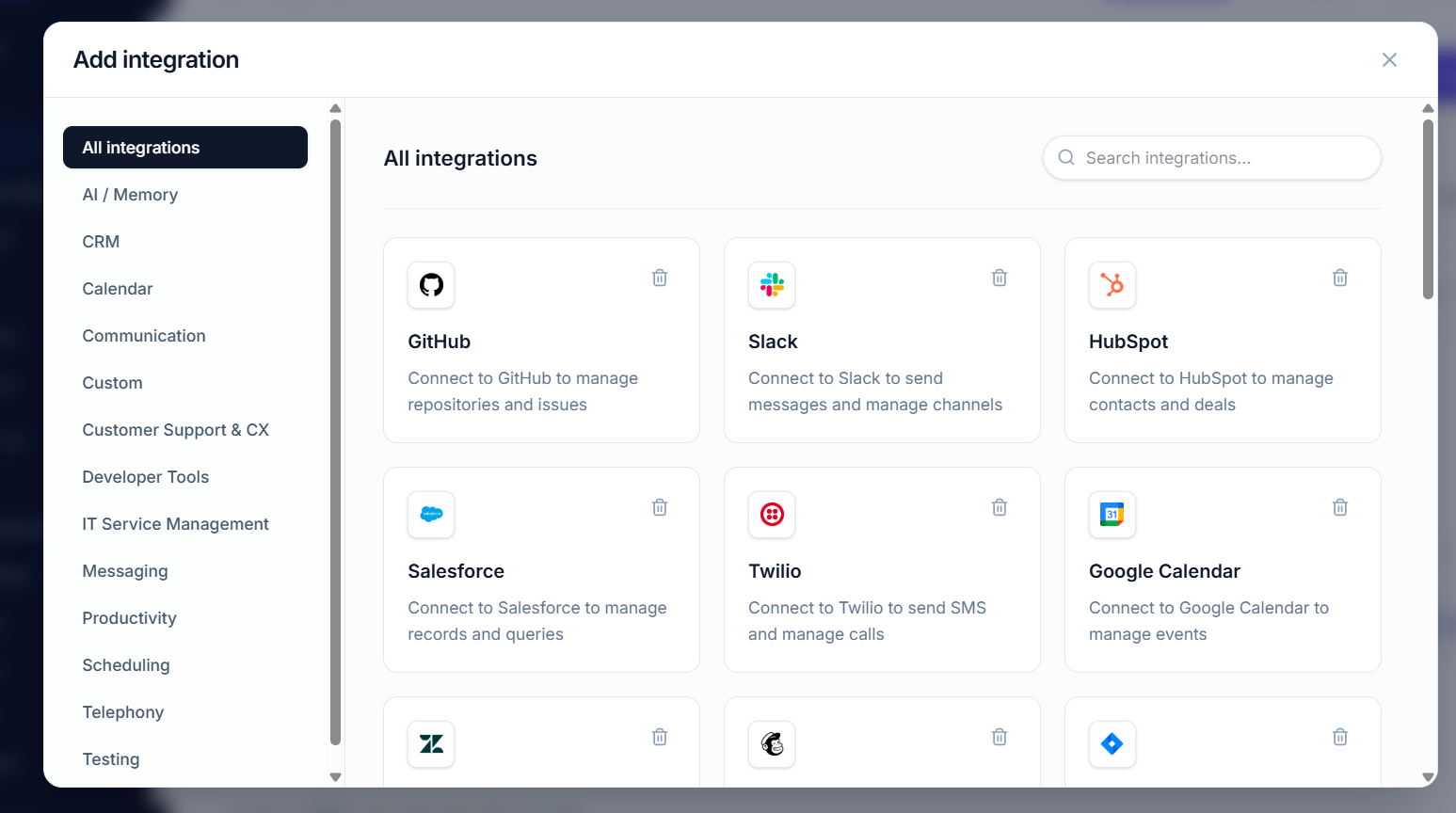
100s of Integrations, Knowledge Base and Web Search for AI Agents — All Exposed Through One MCP Server
We have to agree on one thing: AI agents are only as powerful as the infrastructure they can access. A model can reason, plan and generate impressive responses, but business-grade agents need more than a model. They need access to company knowledge, APIs, databases, communication systems, SaaS applications, real-time web information and persistent context.
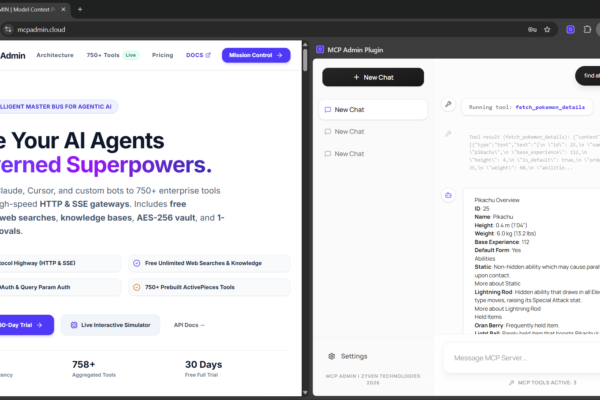
That is the problem MCP Admin is designed to solve. Instead of configuring and maintaining a growing collection of disconnected MCP servers, agent developers can use a unified control plane to host tools, provide persistent memory and connect deterministic automations behind a single gateway.
🧠 The future of AI agents is not just better models. It is better access to context, tools, memory and infrastructure.
🚀 100s of Integrations, Knowledge Base and Web Search for AI Agents — All Exposed Through One MCP Server
Give your AI agents access to tools, memory, live information and automated workflows through one secure MCP infrastructure layer.
🌐 What Is MCP Admin?
MCP Admin is an agentic infrastructure platform built around a simple idea: give AI clients a secure, unified way to reach the tools and context they need. It acts as a control plane between AI clients such as Claude Desktop, Cursor, Windsurf, Gemini agents, OpenAI GPTs and custom LLM applications and the underlying infrastructure those agents need to operate.
🔌 Connect Everything
Bring business tools, databases, APIs and custom services behind a unified MCP gateway.
🧠 Remember Everything That Matters
Provide persistent context across sessions instead of forcing agents to start from zero.
⚙️ Automate Without Tokens
Build deterministic multi-step workflows that execute backend operations without requiring an LLM for every step.
🧩 The Real Problem: AI Agents Are Disconnected
Imagine an AI agent that needs to answer a customer question. The answer may require product documentation from an internal knowledge base, account information from a CRM, an issue from Jira, a message from Slack and a current competitor announcement from the web.
Without an orchestration layer, developers can end up maintaining multiple server endpoints, authentication configurations, schemas and tool definitions. Every additional integration increases operational complexity.
With a centralized MCP gateway, the agent can work through a common interface while the infrastructure handles routing and integration concerns behind the scenes.
🏗️ One MCP Server, Multiple Capability Layers
A powerful agentic architecture can be thought of as several layers working together:
- 📚 Knowledge Base — persistent organizational knowledge and semantic retrieval.
- 🔌 Integrations — CRM, project management, communication, databases and APIs.
- 🌐 Web Search — current external information beyond the internal knowledge base.
- 🧠 Persistent Memory — context, preferences and workflow state across sessions.
- ⚙️ Automations — deterministic pipelines that connect tools without unnecessary model calls.
🔌 100s of Integrations for AI Agents
An AI agent becomes dramatically more useful when it can interact with the systems where work actually happens. MCP Admin is designed as a unified gateway for connecting agents to a broad ecosystem of tools and services.
💼 Business Systems
- CRM platforms
- Sales and customer systems
- Project management platforms
- Payment and finance tools
💬 Collaboration
- Slack and messaging systems
- Gmail and email workflows
- Team collaboration tools
- Issue tracking platforms
🛠️ Developer Infrastructure
- GitHub APIs
- PostgreSQL
- AWS SDKs
- Vector databases
- Custom APIs
The key benefit is not simply the number of integrations. It is the ability to expose those capabilities through a consistent agent-facing layer while keeping the underlying infrastructure organized and governed.
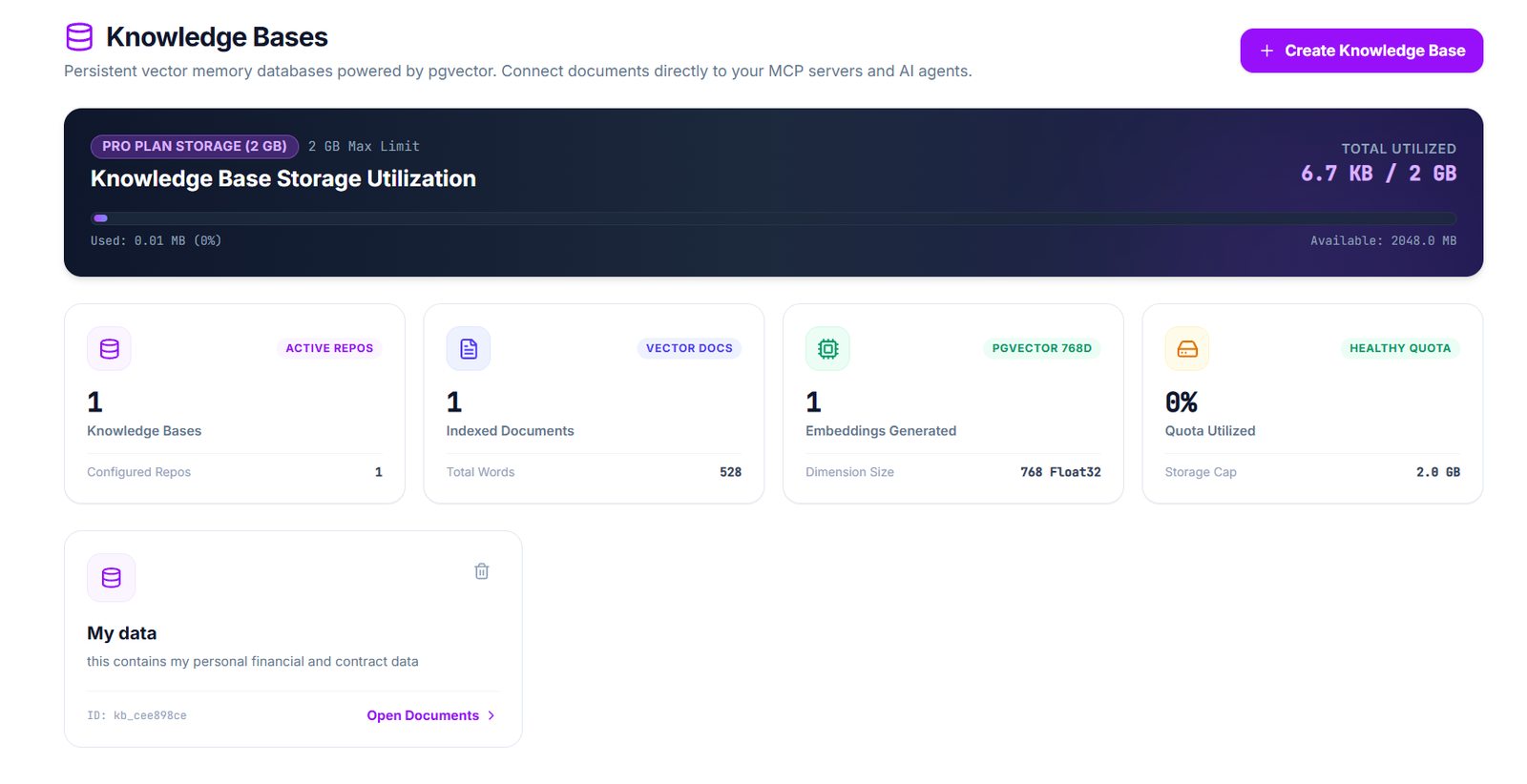
📚 Give AI Agents a Knowledge Base
General-purpose AI models do not automatically know your company’s latest internal policies, product documentation, architecture decisions or operating procedures. A knowledge base gives agents access to information that is specific to your organization.
With semantic retrieval, the system can find information by meaning rather than requiring an exact keyword match. This makes the knowledge layer useful for support agents, sales assistants, internal copilots, research agents and operational workflows.
💡 Example
A user asks, “How do we handle enterprise customer escalations?” The agent can retrieve the relevant internal procedure, combine it with the customer’s current account data and then formulate an answer based on the organization’s actual process.
🌐 Add Web Search for Real-Time Intelligence
Internal knowledge and real-time information solve different problems. Your knowledge base can tell an agent how your company operates, but it may not know what happened in the market this morning.
- 📰 Current news and announcements
- 📈 Market and industry developments
- 🏢 Competitor intelligence
- 🔬 New research and technical information
- 🚀 Product launches and ecosystem changes
A hybrid agent can therefore combine private context + operational data + public web information. That combination is much closer to how humans perform real research and decision-making.
🧠 Persistent Memory: Beyond the Context Window
Conversation history inside a single context window is not the same thing as persistent memory. Long-running agents need a way to preserve useful information across sessions.
- 👤 User preferences
- 🗂️ Important project context
- ✅ Previous decisions
- 🔄 Workflow state
- 🧠 Relevant historical facts
Persistent memory lets an agent continue work instead of repeatedly asking users to re-explain the same context. It is especially valuable for personal assistants, customer support, project management and long-running autonomous workflows.
⚡ Zero-Token Automations
Not every operation needs an LLM. If a workflow is deterministic, repeatedly asking a model to decide the next step can add latency, cost and unnecessary uncertainty.
MCP Admin’s zero-token automation approach allows tools to be connected into deterministic pipelines. Once the workflow is defined, backend operations can execute without spending an LLM token on every individual step.
🤖 Agent decides
Use an AI model where reasoning is genuinely required.
⚙️ Automation executes
Use deterministic pipelines for predictable backend operations.
🚦 The Master Gateway Router
One of the biggest infrastructure problems in multi-server MCP deployments is endpoint sprawl. If every AI client must be configured with every underlying MCP server, administration becomes harder as the system grows.
MCP Admin addresses this with a Master Gateway Router. The gateway can aggregate tools and resources from connected servers, validate requests and route calls to the appropriate backend service.
AI CLIENT
   │
   ▼
MASTER MCP GATEWAY
   │
   ├── CRM Tools
   ├── Project Tools
   ├── Communication Tools
   ├── Database Tools
   ├── Knowledge Base
   ├── Web Search
   ├── Memory
   └── Custom APIs
Instead of teaching every client about every backend endpoint, the client can communicate with a central gateway while the gateway handles the routing layer.
🔐 Security: RBAC, Validation and Human Approval
Giving AI access to infrastructure introduces a serious requirement: capability must be paired with control. An agent that can read data is different from an agent that can modify production systems.
- 🔑 RBAC: control which users and agents can access specific capabilities.
- 🧾 JSON-RPC validation: validate requests before they reach downstream services.
- 🛑 Human-in-the-loop: pause dangerous or destructive operations for administrator approval.
- 🔒 Secrets management: keep credentials out of client configuration where possible.
- 📊 Auditability: record important tool executions and system activity.
🛡️ Human in the Loop
For sensitive operations such as destructive SQL commands, a policy layer can stop execution and wait for an administrator to approve the operation. This creates an important boundary between autonomous reasoning and high-impact execution.
📡 Complete Telemetry for Agent Operations
When AI agents interact with infrastructure, observability becomes part of the architecture. Developers and administrators need to understand what happened, which tools were called, how long requests took and what the downstream systems returned.
📊 Measure
Track latency, request volume and tool execution performance.
🔍 Inspect
Inspect relevant JSON-RPC requests and responses when debugging agent workflows.
🧾 Audit
Maintain an operational record of important tool executions.
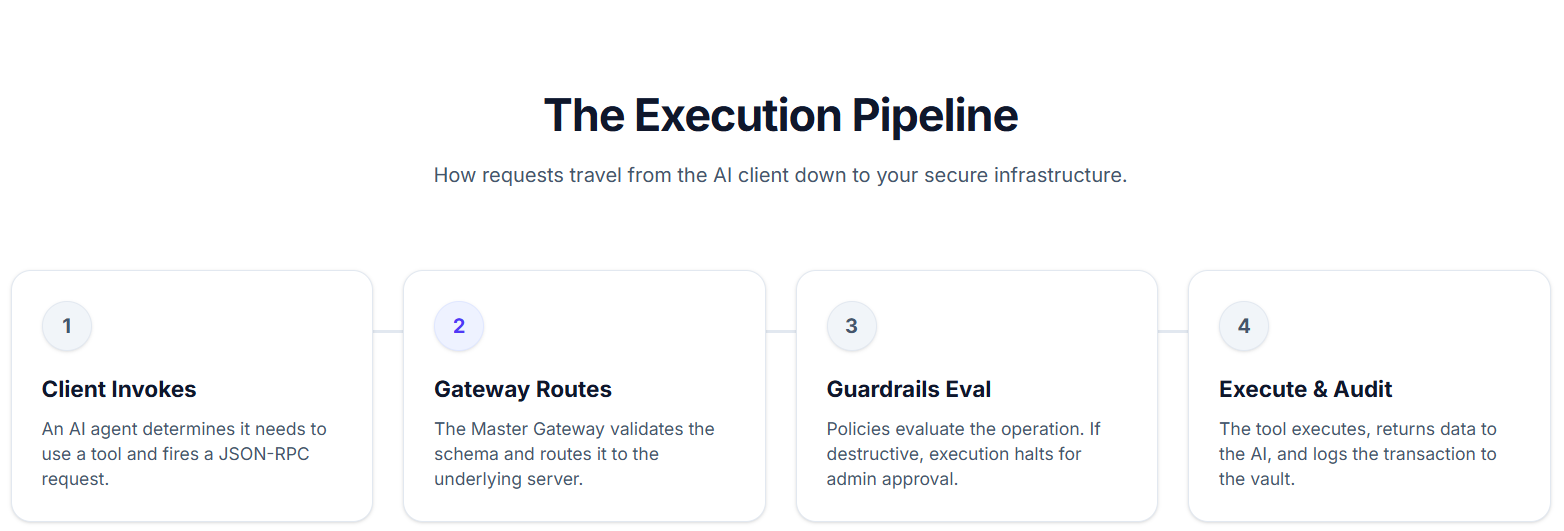
🔄 The Agent Execution Pipeline
1️⃣ Client Invokes
An AI client determines that it needs a tool and sends a JSON-RPC request.
2️⃣ Gateway Routes
The master gateway validates the request and routes it to the appropriate server.
3️⃣ Guardrails Evaluate
Security policies evaluate the requested operation and can require administrator approval.
4️⃣ Execute & Audit
The tool executes, returns data to the agent and records the relevant transaction.
🤖 Connect Claude, Cursor, Windsurf, Gemini and Custom Agents
A unified MCP infrastructure layer becomes more valuable when it works across different AI clients. MCP Admin is positioned to connect environments including Claude Desktop, Cursor IDE, Windsurf, Gemini agents, OpenAI GPTs, AutoGPT, LangChain and custom LLM applications.
This creates an important architectural separation: the AI client can focus on interaction and reasoning, while the MCP infrastructure handles access to tools, memory, routing, policies and connected services.
💻 Serverless Custom Tools
Not every organization can rely entirely on pre-built integrations. Teams often have proprietary internal APIs, business logic or small utility functions that need to become agent-accessible.
MCP Admin’s serverless tool approach allows custom JavaScript or TypeScript tools to be built and exposed to connected agents through the gateway. This can reduce the infrastructure required to turn a small piece of application logic into an AI-callable capability.
🧪 Example: An AI Sales Agent
Consider a sales agent asked:
“Which enterprise accounts should I prioritize today, and why?”
- 📚 Retrieve sales policies and account definitions from the knowledge base.
- 🔌 Query CRM records for current pipeline and engagement data.
- 🧠 Retrieve relevant historical context from memory.
- 🌐 Search current competitor or industry developments when relevant.
- 🤖 Ask the model to analyze the combined context.
- ⚙️ Trigger a deterministic workflow if a follow-up action is approved.
- 🧾 Preserve useful state for the next interaction.
The important point is that the agent is not operating in isolation. It is operating as an intelligent interface over a connected business infrastructure.
📊 Why a Unified MCP Gateway Matters
| Challenge | Without a Unified Gateway | With a Unified MCP Layer |
|---|---|---|
| Many MCP servers | Multiple client configurations | Centralized routing |
| Authentication | Credentials spread across clients | Centralized credential handling |
| Tool discovery | Distributed schemas | Aggregated capabilities |
| Security | Policies implemented inconsistently | Gateway-level guardrails |
| Observability | Scattered logs | Centralized telemetry |
| Memory | Application-specific implementations | Shared persistent context layer |
🚀 The Bigger Picture: Agentic Infrastructure
The important shift is from thinking about MCP as simply “a way to expose tools” to thinking about MCP infrastructure as the operating layer for AI agents.
Modern agents need to reason, retrieve, remember and act. A production architecture therefore needs more than an LLM endpoint. It needs connectivity, permissions, context, state, observability and deterministic execution.
That is why the idea behind MCP Admin is compelling: bring tools, persistent memory and zero-token automations into one unified control plane, then expose that infrastructure to the AI clients developers already use.
🎯 Who Can Benefit From MCP Admin?
- 👨💻 AI developers building tool-using agents
- 🏢 Organizations connecting AI to internal infrastructure
- ⚙️ Automation teams building deterministic workflows
- 🔐 Security teams requiring centralized access controls
- 📊 Platform engineers managing multiple MCP servers
- 🧠 AI product teams adding memory and context to assistants
❓ Frequently Asked Questions
What is an MCP server?
An MCP server exposes tools, resources or other capabilities that an MCP-compatible AI application can discover and use. It provides a standardized interface between AI clients and external capabilities.
What is a hybrid MCP architecture?
A hybrid MCP architecture combines multiple context and capability sources, such as internal knowledge, business integrations, web search, persistent memory and AI model orchestration.
Can MCP connect AI agents to business applications?
Yes. MCP can provide a standardized interface through which compatible AI applications access approved tools and external systems. A gateway can centralize routing and governance across those integrations.
Why does persistent memory matter for AI agents?
Persistent memory allows selected context to survive beyond an individual session. This can help agents maintain user preferences, project state, previous decisions and other useful information over time.
What are zero-token automations?
Zero-token automations are deterministic workflows that execute connected backend operations without requiring an LLM token for every individual step. They are useful when the workflow logic is already known and does not require additional model reasoning.
Which AI clients can connect to MCP Admin?
MCP Admin is designed to support a broad range of MCP-compatible clients and agent environments, including Claude Desktop, Cursor, Windsurf, Gemini agents, OpenAI GPTs, AutoGPT, LangChain and custom LLM applications.
⚡ Ready to Give Your AI Agents Superpowers?
If your agents need more than a model endpoint, build around infrastructure that gives them access to the systems, knowledge and state required to actually get work done.
Tools. Memory. Automations. One secure MCP control plane. 🧠⚙️🔐