🚀 How to Use MCP Admin: Complete Guide to Tools, Memory, Automations & AI Agents
Connect AI agents to your tools, persistent memory, web intelligence and deterministic workflows through one secure MCP control plane.
What is MCP Admin, and how do you actually use it? If you are building AI agents with Claude, Cursor, Windsurf, Gemini, OpenAI-based applications, LangChain or your own custom bot, the hard part is often not the model. The hard part is giving the model reliable access to the systems where useful work happens.
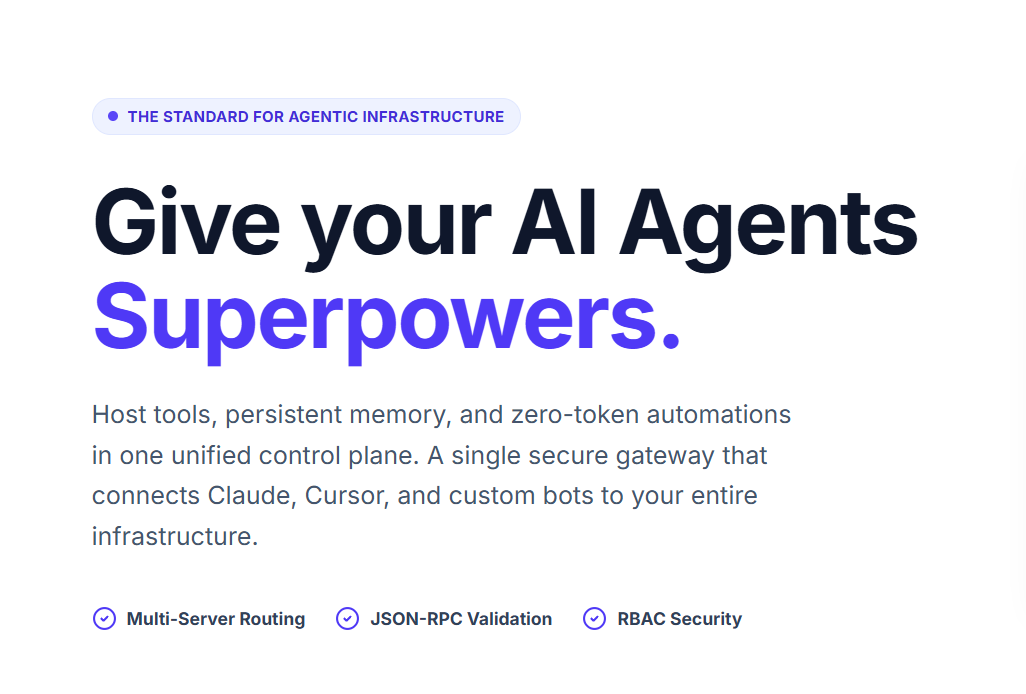
MCP Admin is designed as an agentic infrastructure control plane for exactly this problem. It brings together hosted tools, persistent memory, integrations and zero-token automations behind a unified gateway, so your AI clients can interact with infrastructure through a consistent MCP interface.
🧠 Think of MCP Admin as the infrastructure layer between your AI agent and the systems your agent needs to understand, access and operate.
🌐 What Is MCP Admin?
MCP Admin provides a unified environment for exposing tools and context to MCP-compatible AI clients. Instead of configuring every underlying server separately in every client, a centralized gateway can aggregate capabilities and handle routing, validation, authentication and policy enforcement.
🔌 Host Tools
Build and expose custom JavaScript or TypeScript tools and connect external services to your agents.
🧠 Persistent Memory
Give agents selected long-term context that can survive beyond a single conversation.
⚙️ Automate Workflows
Connect tools into deterministic workflows so predictable backend operations do not require an LLM call at every step.
🧩 Why Use MCP Admin Instead of Configuring MCP Servers One by One?
As an AI project grows, one MCP server can quickly become several. You may have one server for GitHub, another for a database, another for a CRM, another for internal APIs and another for custom tools.
Now multiply that configuration across Claude Desktop, Cursor, Windsurf and other clients. You have endpoint management, credentials, schemas, permissions and troubleshooting spread across multiple environments.
| Without a central gateway | With MCP Admin |
|---|---|
| Many MCP endpoints | 🎯 One unified gateway |
| Repeated client configuration | 🔌 Centralized connectivity |
| Distributed tool discovery | 🧰 Aggregated capabilities |
| Scattered credentials | 🔐 Centralized secrets handling |
| Separate policies | 🛡️ Gateway-level guardrails |
| Scattered telemetry | 📊 Centralized observability |
🏗️ The MCP Admin Architecture
The easiest way to understand MCP Admin is to follow the request from the AI client to the underlying infrastructure.
AI CLIENT
Claude / Cursor / Windsurf / Gemini / Custom Agent
                    │
                    ▼
            MCP ADMIN GATEWAY
                    │
       ┌────────────┼────────────┐
       ▼            ▼            ▼
    TOOLS        MEMORY      AUTOMATIONS
       │            │            │
       └────────────┼────────────┘
                    ▼
      CONNECTED BUSINESS INFRASTRUCTURE
 CRM • GitHub • Jira • Slack • PostgreSQL • APIs • Web
The MCP protocol itself is designed to connect AI applications with systems where data and tools live. The current MCP specification has also evolved toward a stateless protocol core, improved routing, cacheable list results and stronger authorization patterns, making scalable MCP infrastructure an increasingly important architectural concern. citeturn0search1
🚀 Step 1: Open MCP Admin and Enter Mission Control
Start by opening MCP Admin and accessing your authenticated workspace. The platform is intended to provide a central management environment for your MCP servers, tools, connections and agent infrastructure.
🔐 Secure Session Active
Once authenticated, you are ready to manage your MCP environment. Think of this as your Mission Control for agentic infrastructure.
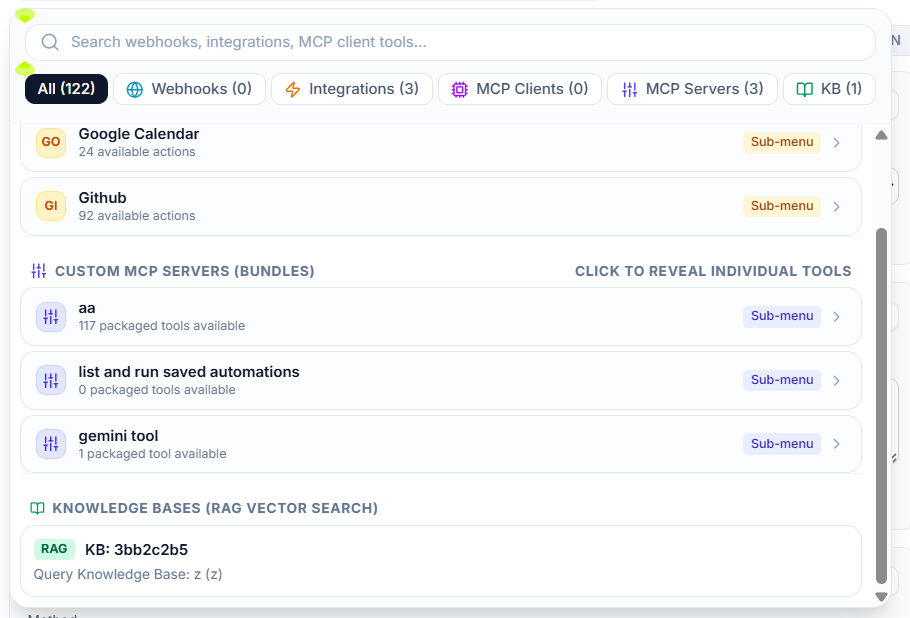
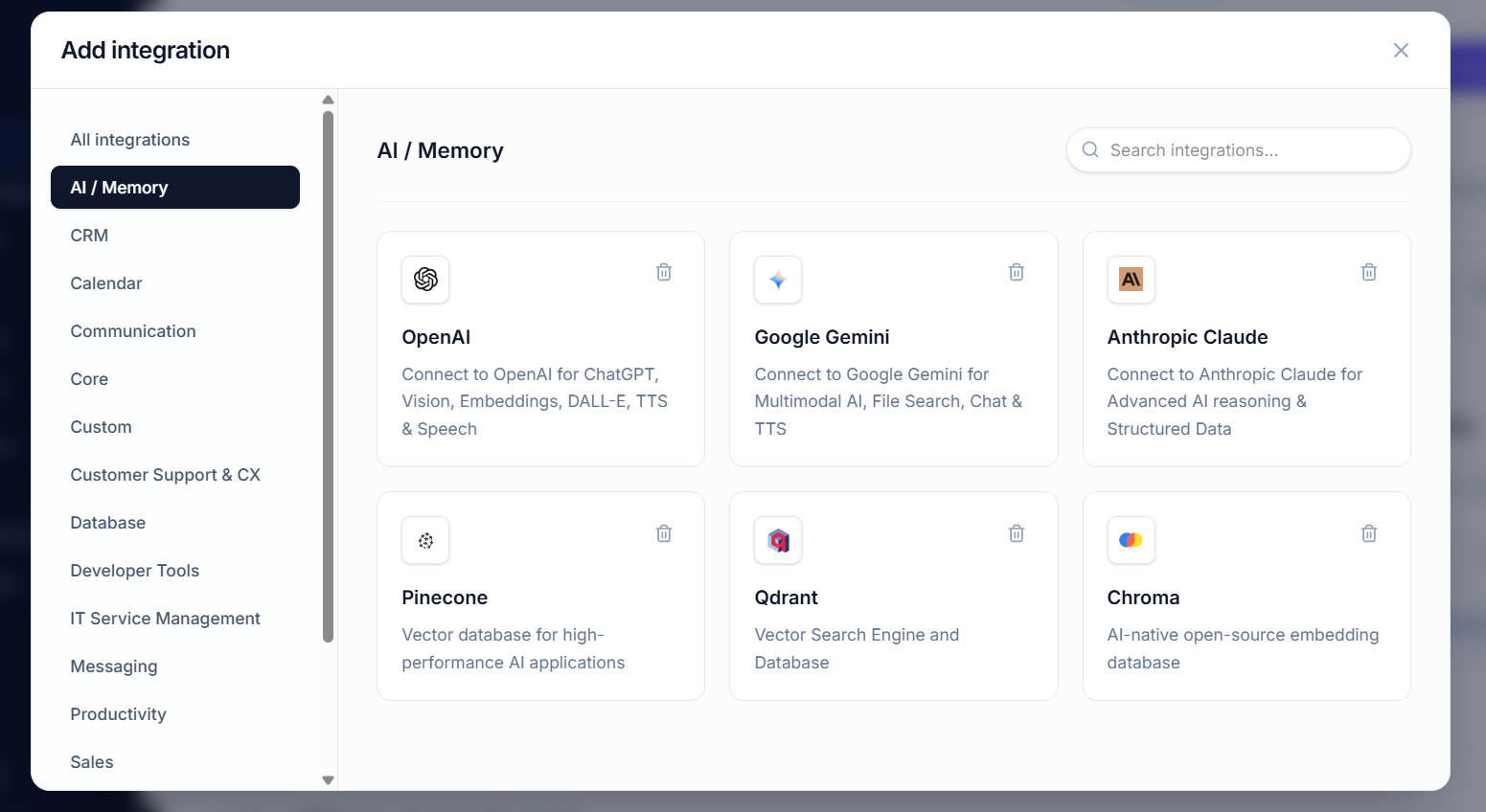
🛠️ Step 2: Add or Build Your Tools
Tools are the actions your AI agents can invoke. A tool might search a database, retrieve a GitHub issue, create a Jira ticket, query an API or execute a business-specific function.
💻 Build Custom Serverless Tools
MCP Admin is designed to let developers build custom JavaScript or TypeScript tools and expose them to connected agents through the gateway. This is useful when your organization has proprietary APIs or internal business logic that does not exist as a ready-made integration.
Agent → MCP Tool → Business API → Result → AgentThe advantage is architectural consistency: the agent does not need to know how your internal API is implemented. It sees a defined capability and invokes it through MCP.
🧰 Examples of Useful Agent Tools
- 🔎 Search a customer database
- 🐙 Read or create GitHub issues
- 📋 Create Jira tickets
- 💬 Send approved Slack messages
- 💳 Retrieve Stripe-related data
- 🗄️ Query PostgreSQL
- ☁️ Call AWS services
- 🔗 Invoke internal APIs
🔌 Step 3: Connect Your AI Client
Once your capabilities are available through the MCP gateway, connect an MCP-compatible client. The exact UI differs between clients, but the architectural pattern is consistent: the client connects to the gateway and discovers the tools exposed to it.
🤖 Claude
Use MCP connectivity to give Claude access to approved tools and resources.
⌨️ Cursor
Connect your development environment to the MCP gateway so coding workflows can access relevant tools.
🌊 Other Agents
Use compatible clients and custom agent applications that support MCP.
The current MCP TypeScript SDK describes MCP servers as exposing tools, resources and prompts that can be consumed by MCP hosts such as Claude Code, VS Code, Cursor and custom applications. citeturn0search2turn0search3
🧠 Step 4: Add Persistent Memory
One of the most important differences between a basic chatbot and a useful long-running agent is memory. Persistent memory lets your application preserve selected information beyond a single context window.
👤 User context
Preferences, recurring requirements and useful profile information.
📁 Project context
Important decisions, goals and ongoing work.
🔄 Workflow state
Where an ongoing automated process currently stands.
Good memory architecture is selective. You do not want to blindly store every conversation forever. Store information that has durable value, apply access controls, and retrieve only the context relevant to the current task.
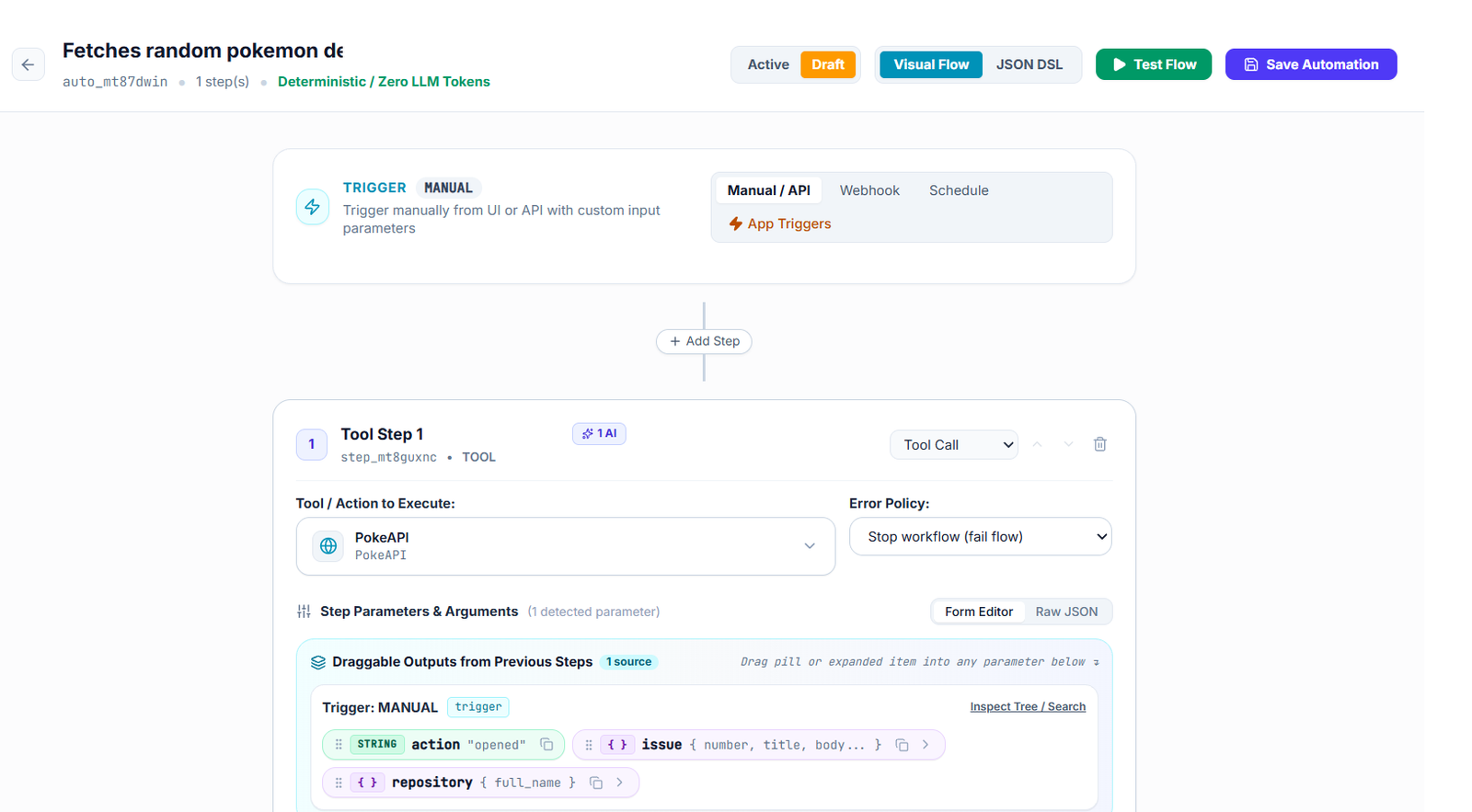
⚡ Step 5: Build Zero-Token Automations
Some workflows require reasoning. Others are deterministic. If the sequence is already known, there is little value in spending an LLM call deciding what happens next.
⚙️ Example: New Lead Workflow
New Lead
   ↓
Create CRM Record
   ↓
Add Tag
   ↓
Create Follow-up Task
   ↓
Send Approved Notification
Once this workflow is defined, it can execute deterministically without requiring the model to reason through every individual operation.
This can reduce unnecessary token consumption, latency and variability. The AI handles the parts that require intelligence; the automation handles the parts that are already known.
🚦 Step 6: Use the Master Gateway Router
As your MCP environment grows, the gateway becomes the central routing layer. Instead of configuring dozens of independent MCP endpoints in every AI client, the client can connect to a unified endpoint while MCP Admin handles aggregation and routing.
CLIENT
  │
  ▼
MASTER MCP GATEWAY
  │
  ├── tools/list → aggregated tool catalog
  ├── resources → aggregated context
  ├── CRM server
  ├── GitHub server
  ├── Database server
  ├── Custom tools
  └── Automation workflows
This centralization becomes particularly valuable when you have many integrations or multiple AI clients. It also creates a natural location for authentication, authorization, validation, routing and observability.
🔐 Step 7: Secure Your AI Infrastructure
Giving an AI agent access to tools means giving software the ability to interact with real systems. Security therefore cannot be an afterthought.
- 🔑 RBAC: limit capabilities by user, role or agent.
- 🧾 Request validation: validate tool inputs before execution.
- 🛡️ Policy guardrails: define which operations are permitted.
- 🧑⚖️ Human approval: require administrator review for sensitive operations.
- 🔐 Secrets vault: keep API credentials away from client configuration when possible.
- 📊 Audit logs: preserve a record of important executions.
🛑 An AI agent should not automatically receive every permission available to the underlying infrastructure.
🧑⚖️ Human-in-the-Loop for Dangerous Actions
Consider a tool that can execute SQL. A policy engine can distinguish between safe read operations and potentially destructive operations. A high-risk request can be paused for administrator approval instead of executing automatically.
Agent requests operation
        ↓
Policy evaluation
        ↓
   ┌────┴────┐
   │         │
 SAFE      HIGH RISK
   │         │
   ▼         ▼
Execute   Admin approval
              ↓
           Execute / Reject
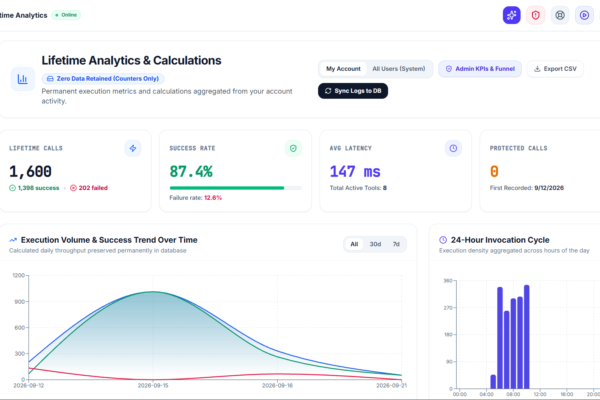
📡 Step 8: Monitor and Audit Agent Activity
Production AI infrastructure needs observability. When an agent calls several tools to produce an answer, developers should be able to understand what happened.
⏱️ Latency
Identify slow tools and bottlenecks.
🔍 Requests
Inspect relevant JSON-RPC activity and tool calls.
🧾 Audit
Track important executions for troubleshooting and governance.
🌐 Step 9: Combine Internal Knowledge with Web Search
A production agent often needs two types of information: what your organization knows and what is happening right now.
- 📚 Internal documents → policies, product knowledge and organizational context.
- 🌐 Web search → current news, market information and external research.
- 🔌 Integrations → live operational data from business systems.
- 🧠 Memory → historical context and user-specific continuity.
Combining these sources lets an agent answer questions that would otherwise require a human to manually gather information from several systems.
🧪 Step 10: Build a Real AI Agent Workflow
Here is a practical example. Imagine you build an AI sales assistant and ask:
“Which customers should I prioritize today, and what should I do next?”
- 🎯 The model interprets the request.
- 📚 The knowledge layer retrieves sales policies and account guidance.
- 🔌 The CRM tool retrieves current customer and pipeline data.
- 🧠 Memory retrieves relevant historical interactions.
- 🌐 Web search checks current external developments if relevant.
- 🤖 The AI model reasons over the combined context.
- ⚙️ A deterministic workflow executes any approved follow-up actions.
- 🧾 Relevant state is preserved for future conversations.
This is the difference between a chatbot and an agentic system: the agent can access context, use tools, reason about the results and act within defined boundaries.
🧠 MCP Admin and the Modern MCP Ecosystem
MCP is evolving rapidly. The July 28, 2026 MCP specification introduced a stateless protocol core, header-based routing, cacheable list results, authorization hardening and an extensions framework. The release also moved Tasks into an extension model and formally deprecated some older capabilities and the legacy HTTP+SSE transport. citeturn0search1
For developers, the practical takeaway is important: MCP infrastructure should be designed to scale with the protocol rather than treating MCP as a small local configuration file. A centralized gateway can provide a useful abstraction between rapidly evolving AI clients and the underlying tools and services.
💡 Best Practices When Using MCP Admin
- 🎯 Start small: connect a few high-value tools before exposing everything.
- 🔐 Use least privilege: only grant agents the capabilities they actually need.
- 🧠 Keep memory selective: store durable context, not unlimited conversation history.
- ⚙️ Automate deterministic work: avoid unnecessary LLM calls for known sequences.
- 📊 Measure everything important: latency, failures and tool usage matter in production.
- 🧑⚖️ Protect destructive actions: add approval gates where the impact is high.
- 🔄 Design for change: keep clients, gateway logic and backend tools loosely coupled.
❓ Frequently Asked Questions
What is MCP Admin?
MCP Admin is an agentic infrastructure control plane designed to bring hosted tools, persistent memory and deterministic automations together behind a unified MCP gateway.
How do I use MCP Admin with an AI agent?
Connect your MCP-compatible AI client to the MCP Admin gateway, expose the tools and resources the agent is allowed to use, configure memory or automations where appropriate, and then let the agent discover and invoke those capabilities through MCP.
Can MCP Admin connect multiple MCP servers?
The MCP Admin architecture is designed around centralized aggregation and routing, allowing a client-facing gateway to connect multiple underlying MCP capabilities rather than requiring every client to manage every backend endpoint separately.
What are zero-token automations?
They are deterministic workflows that connect tools and execute known sequences without requiring an LLM token for every step. They are useful for predictable backend operations.
Does MCP Admin provide persistent memory?
Yes. Persistent memory is a core part of the MCP Admin positioning, allowing agents to preserve useful context across sessions rather than relying only on the current conversation window.
Why is a unified MCP gateway useful?
A unified gateway can reduce endpoint sprawl, centralize routing and security, simplify client configuration, aggregate tool capabilities and provide a consistent place for observability and governance.
🚀 Start Building with MCP Admin
If you want AI agents that can do more than chat, give them access to the infrastructure they need. Connect tools. Add persistent memory. Build deterministic automations. Apply security policies. Then expose everything through a unified MCP layer.
🔌 Tools + 🧠 Memory + ⚡ Automations + 🔐 Security = Agentic Infrastructure