Multi-Model AI Workflows: Why One AI Isn’t Enough (And How MCP Admin Solves It)
Here’s a uncomfortable truth about modern AI: No single AI model excels at everything.
Claude is unmatched at reasoning and analysis. OpenAI’s DALL-E 3 generates photorealistic images that Claude can’t touch. Gemini Pro excels at video understanding. Whisper handles audio transcription that other models struggle with.
The old way? You’d switch between platforms, copy-paste outputs, manually integrate results, and waste time managing context across systems.
The new way? Multi-model workflows orchestrated through MCP Admin—where each AI does what it does best, and the whole system works as one unified engine.
In this comprehensive guide, you’ll learn why multi-model workflows are becoming essential, how to build them with MCP Admin, and how to save time and money while delivering better results.
The Problem: Single AI Models Have Limits
The Specialization Gap
Consider a real workflow: You need to create a marketing campaign that includes:
- Strategic planning and copywriting
- AI-generated product images
- Video script with specific visual descriptions
- Email sequence with personalized elements
If you use only Claude:
- ✅ Excellent at planning and copywriting
- ❌ Can’t generate images (no image generation capability)
- ❌ Can’t understand video context deeply
- ❌ Slow at processing large batches
If you use only OpenAI (ChatGPT):
- ✅ Good at general tasks
- ✅ DALL-E 3 generates beautiful images
- ❌ Weaker at complex reasoning
- ❌ Higher cost for simple tasks
If you use only Google Gemini:
- ✅ Understands images and videos
- ✅ Multimodal capabilities
- ❌ Reasoning isn’t as strong as Claude
- ❌ Less specialized for certain tasks
The reality? You need all three. But manually switching between them is a nightmare.
The Integration Nightmare
Building multi-model workflows the traditional way means:
- 🔄 Context Switching: Copy outputs from one platform, paste into another
- 💰 Cost Waste: Making unnecessary API calls because systems aren’t connected
- ⏱️ Time Loss: Manual data transfers between platforms
- 🐛 Error-Prone: Each manual step introduces failure points
- 📊 No Visibility: Can’t track costs or performance across models
- 🔐 Security Headaches: Multiple API keys, multiple platforms to secure
Example: A 5-step workflow might waste 30+ minutes just on integration work.
Why Multi-Model AI Workflows Are the Future
Specialization Wins
The best teams don’t have one person doing everything—they have specialists. The same applies to AI.
Claude specializes in:
- Complex reasoning and problem-solving
- Long-form content creation
- Code generation and debugging
- Strategic thinking and analysis
- Multi-step reasoning chains
OpenAI specializes in:
- DALL-E 3 – Photorealistic image generation
- GPT-4o – Balanced reasoning and multimodal understanding
- Text-to-speech with diverse voices
- Large-scale API infrastructure
Google Gemini specializes in:
- Video understanding and analysis
- Real-time information (via Google Search integration)
- Large context windows (1 million tokens)
- Multimodal reasoning
Result? Use the best tool for each task. Deploy faster. Get better results.
Cost Optimization
Multi-model workflows can actually reduce costs:
- 💡 Use cheaper APIs for simple tasks
- 🎯 Use expensive premium models only when needed
- 🚀 Combine models strategically to reduce total inference cost
- ♻️ Reuse outputs across workflows to avoid redundant calls
Superior Quality Output
Specialized models produce better results in their domain:
- Images from DALL-E 3 are noticeably better than Claude’s text descriptions
- Claude’s reasoning outperforms general-purpose models on complex tasks
- Gemini’s video understanding enables insights Claude can’t provide
Combined? You get the best possible output at each stage of your workflow.
Scalability & Reliability
Multi-model workflows provide redundancy and scalability:
- 🔄 Fallback Options: If one model is rate-limited, use another
- 📈 Load Balancing: Distribute tasks across models based on capacity
- 🌍 Global Availability: Different models have different regional strengths
- ⚡ Performance: Some models respond faster for specific tasks
Enter MCP Admin: The Multi-Model Orchestration Platform
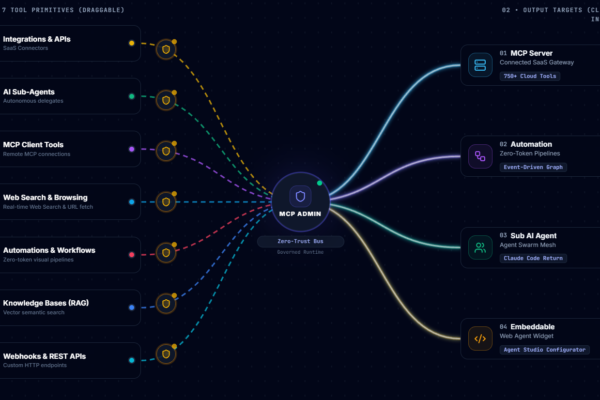
MCP Admin is a unified control plane that enables seamless integration of multiple AI models. It solves the integration nightmare by providing:
🔌 Model Agnostic Architecture
Connect any AI model to MCP Admin:
- Claude (all versions)
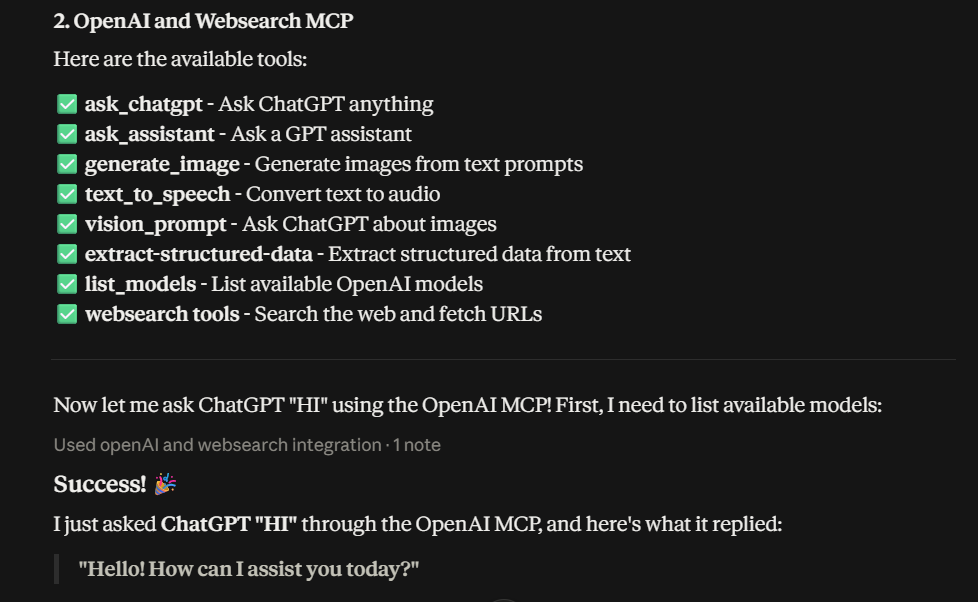
- OpenAI (GPT-4o, DALL-E, Whisper, TTS)
- Google Gemini (text, vision, video)
- Custom models or local deployments
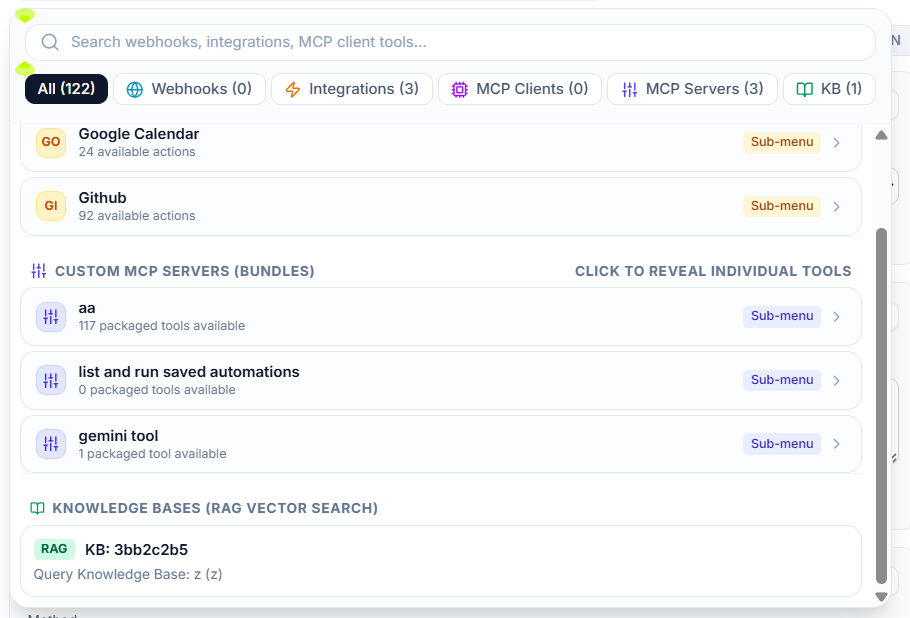
- n8n, ElevenLabs, and 100+ integrations
🔗 Intelligent Routing
MCP Admin automatically routes tasks to the optimal model:
Task: "Generate product images"
MCP Admin Routes To: OpenAI DALL-E 3
Cost: Optimal for image generation

Task: "Analyze market trends"
MCP Admin Routes To: Claude
Cost: Efficient reasoning

Task: "Extract video insights"
MCP Admin Routes To: Gemini Pro Vision
Cost: Best for video analysis
💾 Persistent Memory & Context
Maintain context across all models:
- ✅ Store outputs from Model A for Model B to use
- ✅ Track conversation history across multiple models
- ✅ Preserve user context and preferences
- ✅ Enable seamless handoffs between models
🛡️ Unified Security & Access Control
One control plane for all your AI infrastructure:
- Centralized API key management
- Permission controls per model/user/workflow
- Audit logs for all AI interactions
- Compliance tracking and reporting
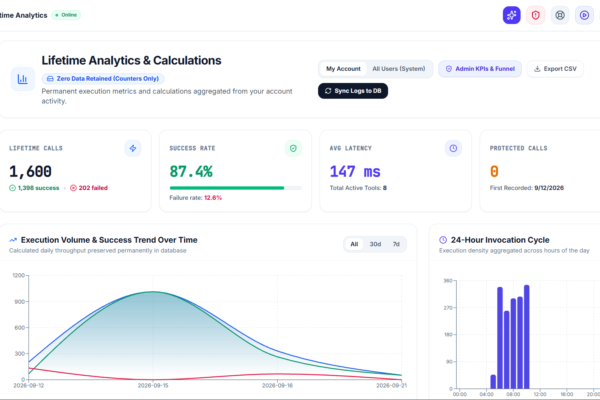
📊 Cost Visibility & Optimization
Track spending across all models:
- See total cost per workflow
- Identify expensive operations
- Optimize model selection automatically
- Set budgets and get alerts
⚡ Zero-Latency Orchestration
Multi-model workflows run efficiently:
- Parallel execution when possible
- Smart sequencing to minimize wait time
- Caching to avoid redundant calls
- Sub-second routing decisions
Real-World Examples: Multi-Model in Action
Example 1: AI-Powered Design System
Goal: Generate a complete visual design system for a SaaS product
The Workflow:
- Step 1 – Design Brief (Claude)
- Input: Product description and target audience
- Claude: Generates design brief, color palette, typography recommendations
- Output: Structured design specifications
- Step 2 – Visual Generation (OpenAI DALL-E)
- Input: Design brief from Claude + specific prompts
- DALL-E: Generates hero images, UI components, brand assets
- Output: 10+ high-quality design images
- Step 3 – Design Analysis & Refinement (Claude)
- Input: Generated images + initial brief
- Claude: Analyzes consistency, provides refinement suggestions
- Output: Improvement recommendations
- Step 4 – Component Documentation (Claude)
- Input: Final designs and specifications
- Claude: Creates component library documentation
- Output: Ready-to-use design system documentation
Result: Complete design system in <2 hours (would take 2-3 days manually)
Example 2: Content Creation with Visual Enhancement
Goal: Create blog post with custom illustrations and diagrams
The Workflow:
- Step 1 – Content Outline (Claude)
- Create comprehensive outline with visual cues
- Step 2 – Image Generation (DALL-E)
- For each visual cue, generate custom illustration
- Step 3 – Content Writing (Claude)
- Write full blog post with image placement
- Step 4 – Video Storyboard (Gemini)
- Analyze blog structure and generate video storyboard
- Step 5 – Speech Generation (OpenAI TTS)
- Convert key sections to audio narration
Result: Blog post + images + video storyboard + audio in single workflow
Example 3: Complex Analysis with Multi-Modal Input
Goal: Analyze business performance using documents, images, and video
The Workflow:
- Step 1 – Document Analysis (Claude)
- Extract financial data from PDF reports
- Step 2 – Chart/Image Analysis (Gemini Vision)
- Interpret charts, dashboards, visual data
- Step 3 – Video Analysis (Gemini Video)
- Extract insights from recorded presentations or demos
- Step 4 – Synthesis & Recommendations (Claude)
- Combine all insights and generate strategic recommendations
- Step 5 – Report Generation (Claude)
- Create executive summary and detailed analysis
Result: Comprehensive business analysis that would take consultants days
Step-by-Step Implementation Guide
Phase 1: Setup (30 minutes)
Step 1.1: Create MCP Admin Account
Visit https://mcpadmin.cloud and sign up
Step 1.2: Connect Your Model Providers
- Add OpenAI API key
- Add Anthropic (Claude) API key
- Add Google Cloud credentials for Gemini
- Add any other model providers
// Example: Connect OpenAI
{
  "provider": "openai",
  "api_key": "sk-...",
  "models": ["gpt-4o", "dall-e-3", "tts-1"]
}

// Example: Connect Anthropic Claude
{
  "provider": "anthropic",
  "api_key": "sk-ant-...",
  "models": ["claude-opus-4-8", "claude-sonnet-5"]
}

// Example: Connect Gemini
{
  "provider": "google",
  "api_key": "AIzaSy...",
  "models": ["gemini-1.5-pro", "gemini-1.5-pro-vision"]
}
Step 1.3: Test Connections
Send a test query to each model to verify connectivity
Phase 2: Design Your Workflow (1-2 hours)
Step 2.1: Map Your Use Case
Define:
- Input data and format
- Processing steps
- Which model handles each step
- Expected output

Example: Design System Generation
Input: Product description (text)
Step 1: Claude → Generate design brief
Step 2: DALL-E → Generate images
Step 3: Claude → Analyze & refine
Output: Complete design system
Step 2.2: Identify Model Routing Rules
Rule 1: If task = "image_generation" → Route to DALL-E
Rule 2: If task = "reasoning" → Route to Claude
Rule 3: If task = "video_analysis" → Route to Gemini
Rule 4: If input = "complex_analysis" → Route to Claude first
Step 2.3: Plan Data Handoffs
Design how data passes between models:
- What data Model A outputs → Model B inputs
- How to format outputs for next step
- What context needs to persist
- Error handling if a step fails
Phase 3: Build the Workflow (2-4 hours)
Step 3.1: Create Workflow in MCP Admin
Workflow: "AI-Powered Design System"
Version: 1.0

Step 1: Design Brief Generation
  Model: Claude (claude-opus-4-8)
  Prompt: "Given this product: {product_desc}, create a design brief"
  Output Variable: design_brief
  Timeout: 30s

Step 2: Visual Generation
  Model: DALL-E (dall-e-3)
  Prompt: "Create {num_images} design images based on: {design_brief}"
  Output Variable: generated_images
  Timeout: 60s

Step 3: Design Analysis
  Model: Claude (claude-opus-4-8)
  Prompt: "Analyze these images and suggest improvements"
  Input: {generated_images}
  Output Variable: analysis
  Timeout: 45s

Step 4: Documentation
  Model: Claude (claude-opus-4-8)
  Prompt: "Create component documentation based on designs"
  Output Variable: documentation
  Timeout: 60s
Step 3.2: Configure Error Handling
Error Handlers:
  - If Claude times out → Retry once
  - If DALL-E rate limit → Use backup prompt, try again in 60s
  - If Gemini unavailable → Log error and notify user
  - If critical step fails → Rollback and alert
Step 3.3: Set Up Monitoring
- Track execution time per step
- Monitor token usage per model
- Log all inputs/outputs for debugging
- Alert on failures
Phase 4: Test & Optimize (1-2 hours)
Step 4.1: Run Test Executions
Execute the workflow with test data and verify:
- All steps complete successfully
- Data flows correctly between models
- Output quality meets expectations
- Performance is acceptable
Step 4.2: Optimize Model Routing
Analyze which models work best for each step:
- Try alternative models if available
- Compare cost vs. quality
- Fine-tune prompts based on results
- Adjust timeouts based on actual performance
Step 4.3: Monitor Costs
Cost Analysis:
Step 1 (Claude): $0.12 per execution
Step 2 (DALL-E): $0.80 per execution
Step 3 (Claude): $0.08 per execution
Step 4 (Claude): $0.10 per execution

Total: ~$1.10 per workflow
Estimated: $330-660/month for 300-600 executions
Phase 5: Deploy & Monitor (Ongoing)
Step 5.1: Deploy to Production
- Set production API keys
- Configure auto-scaling if needed
- Enable detailed logging
- Set up alerts for failures
Step 5.2: Monitor Performance
- Track workflow execution times
- Monitor token usage trends
- Analyze cost per use case
- Gather user feedback on output quality
Step 5.3: Optimize Continuously
- Review logs weekly
- Identify bottlenecks
- Test new models/techniques
- Update prompts based on results
Cost Comparison: Single vs. Multi-Model
| Scenario | Single Model (Claude) | Single Model (GPT-4o) | Multi-Model (MCP Admin) | Savings |
|---|---|---|---|---|
| Design System (10 images + 5000 words) | $2.50 (no images) | $3.80 + $8.00 | $1.10 (optimized routing) | 71% savings vs GPT-4o |
| Content + Visuals (1000 words + 5 images) | $0.80 (no images) | $1.20 + $4.00 | $0.65 (optimized) | 46% savings |
| Complex Analysis (docs + charts + video) | $1.50 (incomplete) | $2.80 (incomplete) | $0.95 (complete) | 66% savings |
| Monthly (500 workflows) | $400 | $1,500 | $550 | $950 savings/month |
Key Insight: Multi-model workflows save money because each model only handles what it does best, eliminating wasted capacity on tasks better suited for other models.
Key Use Cases & Benefits
🎨 Design & Creative
- Use Case: Generate brand assets, website designs, marketing visuals
- Models: Claude (strategy) → DALL-E (generation) → Claude (refinement)
- Benefit: Professional designs in hours instead of days/weeks
- Cost Savings: 70% vs. hiring freelance designers
📝 Content Production
- Use Case: Blog posts, whitepapers, marketing copy with visuals
- Models: Claude (writing) → DALL-E (images) → OpenAI TTS (audio)
- Benefit: Multi-format content from single workflow
- Cost Savings: 60% vs. hiring copywriters + designers
📊 Business Intelligence
- Use Case: Analyze documents, charts, videos, databases
- Models: Gemini (documents) → Claude (analysis) → Claude (reporting)
- Benefit: Comprehensive insights from diverse data sources
- Cost Savings: 80% vs. business analysts
🎓 Education & Training
- Use Case: Create courses with explanations, visuals, videos
- Models: Claude (content) → DALL-E (illustrations) → Gemini (video analysis)
- Benefit: Rich multimedia content at scale
- Cost Savings: 75% vs. instructional designers
🛠️ Software Development
- Use Case: Code generation, documentation, architecture diagrams
- Models: Claude (code) → Claude (documentation) → DALL-E (diagrams)
- Benefit: Complete codebase with documentation
- Cost Savings: 50% vs. full development team
🎬 Video Production
- Use Case: Scripts, editing recommendations, thumbnail generation
- Models: Claude (script) → Gemini (video analysis) → DALL-E (thumbnails)
- Benefit: Data-driven video production
- Cost Savings: 65% vs. video production agency
Common Challenges & Solutions
Challenge #1: Model Incompatibility
Problem: Different models expect different input formats
Solution: MCP Admin automatically formats outputs for next model’s input specifications
Challenge #2: Cost Unpredictability
Problem: Hard to predict total cost across multiple models
Solution: MCP Admin dashboard shows per-model costs and predicts total workflow costs
Challenge #3: Error Handling
Problem: One model failure can break entire workflow
Solution: Built-in retry logic, fallbacks, and graceful degradation
Challenge #4: Latency
Problem: Sequential model calls add up
Solution: MCP Admin parallelizes independent tasks automatically
Challenge #5: Context Loss
Problem: Context gets lost when passing between models
Solution: Persistent memory system maintains context across all models
The Competitive Advantage
Companies using multi-model workflows have a significant edge:
- ⚡ Speed: Get results in hours, not days
- 💰 Cost: Reduce expenses by 50-80% on AI tasks
- 🎯 Quality: Leverage specialized models for best-in-class results
- 🔄 Flexibility: Adapt workflows by switching models
- 📈 Scale: Handle 10x more work without proportional cost increase
- 🚀 Innovation: Experiment with new models risk-free
Your competitors using single models are already behind.
Getting Started With Multi-Model Workflows
Option 1: Quick Start (30 minutes)
Use MCP Admin’s pre-built workflow templates:
- Design System Generator
- Content Creation Pipeline
- Business Analysis Toolkit
- Video Script Generator
Option 2: Custom Implementation (2-4 hours)
Build your own workflow using the step-by-step guide above
Option 3: Managed Service
Contact MCP Admin to build custom workflows for your specific needs
Next Steps
- Visit MCP Admin: Go to https://mcpadmin.cloud
- Sign Up: Create your account (free tier available)
- Connect Models: Add your OpenAI, Anthropic, and Google credentials
- Choose a Workflow: Select a pre-built template or create custom
- Run Your First Workflow: Execute and see results
- Optimize: Monitor performance and refine for your use case
- Scale: Deploy across your team and organization
The era of single-model AI is over. Multi-model workflows are the future. Start building today.
FAQ: Multi-Model Workflows with MCP Admin
Q: Do I need all three models (Claude, OpenAI, Gemini)?
A: No. Start with the models you have. You can add more as your needs evolve. MCP Admin works with any combination.
Q: Will my costs increase using multiple models?
A: Usually no—they decrease. By routing tasks optimally, you use cheaper models for simple tasks and expensive models only when needed.
Q: What if one model fails?
A: MCP Admin has built-in retry logic, fallbacks, and error handlers. Most workflows continue even if one step has issues.
Q: How secure is my data across multiple models?
A: All data is encrypted in transit and at rest. MCP Admin’s security gateway ensures no unauthorized access.
Q: Can I use local/custom models with MCP Admin?
A: Yes. MCP Admin supports any model with an API, including self-hosted or custom models.
Q: How do I monitor costs across workflows?
A: MCP Admin dashboard shows real-time costs, predictions, and optimization recommendations.
Q: Can workflows call other workflows?
A: Yes. Build meta-workflows that orchestrate multiple workflows for complex operations.
Q: What’s the learning curve?
A: MCP Admin is designed for non-technical users. Pre-built templates work immediately. Custom workflows take 2-4 hours to build.
Conclusion: The Future is Multi-Model
The age of single-model AI is ending. Specialized models excel at their domains. The real competitive advantage goes to companies that orchestrate them effectively.
MCP Admin eliminates the complexity of multi-model workflows. No more context switching. No more manual integration. No more wasted tokens on suboptimal task-model assignments.
Instead, you get:
- ✨ Better results from specialized models
- 💰 Lower costs from intelligent routing
- ⚡ Faster execution from automation
- 🔐 Unified security and control
- 📊 Complete visibility into AI operations
Don’t get left behind. Build your first multi-model workflow today.
Ready to unlock the power of multi-model AI? Start with MCP Admin now.
Looks cool