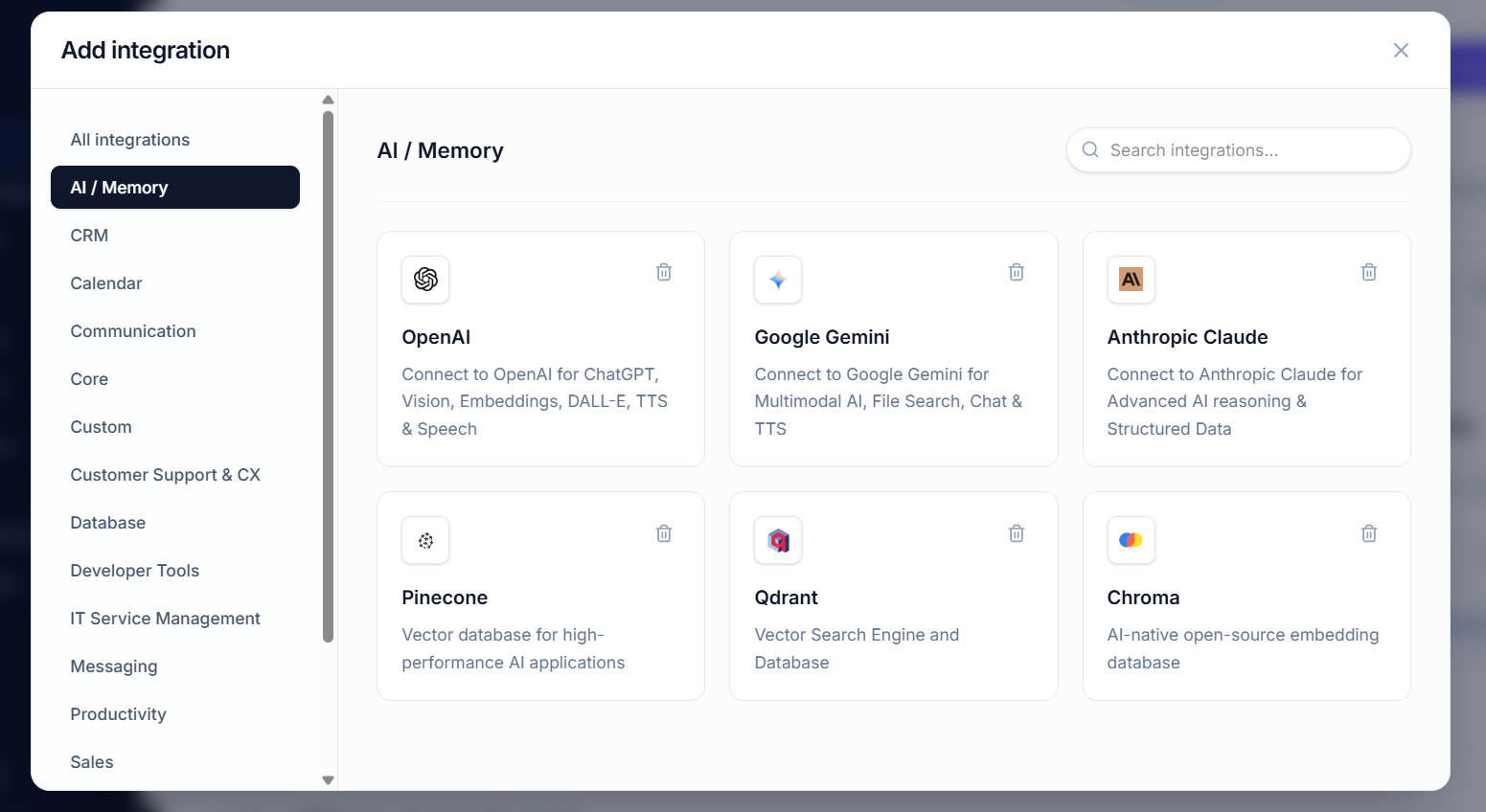
Multi-Model AI Orchestration with MCP: Access Claude, ChatGPT & Gemini for Token Savings & Better Results
Multi-Model AI Orchestration with MCP: Access Claude, ChatGPT & Gemini for Token Savings & Better Results
The Problem: You’re stuck with one AI model. Claude is great at reasoning but expensive on certain tasks. GPT-4 is better for image generation but overkill for text analysis. Gemini excels at multimodal but you’re already paying for Claude.
The Hidden Cost: You’re wasting money using expensive models for tasks that cheaper models can handle equally well. You’re also burning tokens unnecessarily when a specialized model could do it faster and cheaper.
The Solution: Multi-Model Orchestration with MCP Servers.
Route different tasks to different models based on cost, speed, and capability. Use Claude’s frontend chat credits for interactive work. Use backend API credits for batch automation. Combine all three (Claude, ChatGPT, Gemini) in one unified system that automatically picks the best model for each job.
Result: 40-70% token savings, faster execution, better quality outputs.
This comprehensive guide shows you exactly how to build a multi-model AI system using MCP servers that maximizes results while minimizing costs.
The Token Economics Problem
Current Reality: Single-Model Waste
Typical workflow today: You use Claude (or GPT-4) for everything.
Simple text classification → Claude Sonnet (expensive)
Complex reasoning → Claude Opus (very expensive)
Image generation → Claude (can't do it)
Multimodal analysis → Claude (mediocre)
Data transformation → Claude (overkill)
The cost breakdown for 1,000,000 tokens:
| Model | Input Cost | Output Cost | Cost per 1M tokens |
|---|---|---|---|
| Claude 3 Opus | $15/1M | $45/1M | $30/1M avg |
| Claude 3.5 Sonnet | $3/1M | $15/1M | $9/1M avg |
| GPT-4 Turbo | $10/1M | $30/1M | $20/1M avg |
| Gemini 1.5 Pro | $7/1M | $21/1M | $14/1M avg |
| Claude 3 Haiku | $0.80/1M | $4/1M | $2.40/1M avg |
The Opportunity: Smart Routing
Intelligent routing workflow: Route tasks to the right model.
Simple text classification → Claude Haiku ($2.40)
Complex reasoning → Claude Opus ($30)
Image generation → DALL-E 3 via GPT-4 ($0.05 per image)
Multimodal analysis → Gemini 1.5 Pro ($14)
Data transformation → Claude Haiku ($2.40)
Result: 60-70% cost reduction for the same workload
Why Multi-Model Beats Single-Model
Claude’s Strengths (Use When:)
- ✅ Deep reasoning required – complex analysis, strategic decisions, code architecture
- ✅ Long context needed – 200K tokens for document analysis
- ✅ Perfect accuracy essential – legal documents, medical content
- ✅ Coding tasks – code generation, debugging, refactoring
- ✅ Writing quality – creative writing, marketing copy, articles
GPT-4’s Strengths (Use When:)
- ✅ Vision/image tasks – image analysis, OCR, diagram understanding
- ✅ DALL-E integration – image generation directly in workflow
- ✅ Function calling at scale – large tool ecosystems (1000+ functions)
- ✅ Current knowledge – training data includes 2024
Gemini’s Strengths (Use When:)
- ✅ Native multimodal – video, audio, and images together
- ✅ Long context cheap – 1M token window at lower cost
- ✅ PDF processing – native PDF understanding
- ✅ Real-time updates – latest information from Google search
Haiku/Mini-Models (Use When:)
- ✅ Classification & tagging – categorize content
- ✅ Extraction – pull structured data from text
- ✅ Simple transformations – format conversion, summarization
- ✅ High volume, low complexity – process 1M items at $0.80/1M tokens
The key insight: No single model is best at everything. The best model is the right model for the job.
Understanding Frontend vs Backend Credits
Frontend Chat Credits (User-Facing)
What they are: Credits you purchase for use in Claude.ai, ChatGPT web interface, or Gemini web app
How they work:
- Buy credits (e.g., $20 = 4M input tokens of Claude Sonnet)
- Use them in the web interface
- Credits deplete based on usage
- Can’t be programmatically accessed (normally)
Limitations: Isolated to web interface, can’t integrate with automation, can’t use in production systems
Backend API Credits (Automation)
What they are: API keys that connect to the model’s infrastructure for programmatic access
How they work:
- Get API key from Anthropic, OpenAI, or Google
- Call model programmatically from your code
- Pay per token used (no pre-purchase needed)
- Can automate, batch, and integrate with systems
Advantages: Production-ready, scalable, integrates with automation systems
The Power: Using Both Together
The MCP advantage: MCP servers let you leverage BOTH frontend credits AND backend APIs in one unified system.
Frontend (Interactive):
└─ Claude.ai with frontend credits
   └─ User asks question
   └─ MCP routes to best model
   └─ Can access backend APIs through MCP

Backend (Automation):
└─ MCP Server with backend APIs
   └─ Workflow triggered
   └─ MCP orchestrates Claude + GPT + Gemini
   └─ Results stored and analyzed
How MCP Enables Multi-Model Orchestration
What is an MCP Server?
An MCP (Model Context Protocol) server is a lightweight server that acts as a middleman between Claude and other tools/models.
Traditional setup:
Claude ← → Tool A
Claude ← → Tool B
Claude ← → Tool C
MCP setup:
Claude ← → MCP Server ← → Tool A
                      ← → Tool B
                      ← → Tool C
                      ← → ChatGPT
                      ← → Gemini
How MCP Enables Multi-Model Routing
Step 1: Tool Registration
Register different models as “tools” in your MCP server:
// MCP Server Tool Registry
{
  tools: [
    {
      name: "ask_chatgpt",
      description: "Query ChatGPT for image analysis or vision tasks",
      params: {model, prompt, image_url}
    },
    {
      name: "ask_gemini",
      description: "Query Gemini for multimodal or long-context tasks",
      params: {model, prompt, files}
    },
    {
      name: "ask_claude",
      description: "Query Claude for reasoning or code tasks",
      params: {model, prompt}
    },
    {
      name: "ask_haiku",
      description: "Query Claude Haiku for classification and extraction",
      params: {prompt, json_schema}
    }
  ]
}
Step 2: Smart Routing Logic
When Claude receives a task, MCP routes it intelligently:
// Pseudo-code: Routing logic in MCP
function routeTask(task, context) {
  if (task.requires_image_generation) {
    return askChatGPT(task);  // GPT-4 + DALL-E
  }

  if (task.requires_video_analysis) {
    return askGemini(task);  // Gemini 1.5 Pro
  }

  if (task.is_simple_extraction) {
    return askHaiku(task);  // Fast + cheap
  }

  if (task.requires_deep_reasoning) {
    return askClaude({model: "opus"}, task);  // Best reasoning
  }

  if (task.has_large_context) {
    return askGemini(task);  // 1M token window
  }

  // Default: balance cost vs quality
  return askClaude({model: "sonnet"}, task);
}
Step 3: Claude Calls the Right Tool
Claude sees all available tools and intelligently chooses:
User: "Analyze this image and extract all text"

Claude's decision:
- Image analysis needed → ask_chatgpt is best fit
- Calls ask_chatgpt tool
- Returns: Extracted text + analysis

Cost: $0.01 (GPT-4 vision) vs $0.30 (Claude analyzing image as text)
The Token Distribution Benefit
Without MCP (Single Model):
Task 1: Classify 10,000 items
Cost: 10,000 × (Sonnet average $9/1M) = $90

Task 2: Analyze video
Cost: 50,000 tokens × (Sonnet $9/1M) = $450

Task 3: Generate images
Cost: 5 images × (Sonnet can't do) = 0, but pay human

Total: $540 + manual image work
With MCP (Multi-Model):
Task 1: Classify 10,000 items
Route to Haiku: 10,000 × ($2.40/1M) = $24

Task 2: Analyze video
Route to Gemini: 50,000 × ($14/1M) = $0.70

Task 3: Generate images
Route to DALL-E: 5 images × ($0.05) = $0.25

Total: $24.95 (95% savings!)
Architecture: Building Your Multi-Model System
Component 1: MCP Server (The Orchestrator)
The MCP server sits in the middle and decides which model to use.
// Example MCP Server Implementation (Node.js)

const MCPServer = require("mcp-sdk");
const anthropic = require("@anthropic-ai/sdk");
const openai = require("openai");
const google = require("@google-cloud/generative-ai");

const server = new MCPServer();

// Tool 1: Call ChatGPT
server.registerTool({
  name: "ask_chatgpt",
  description: "Query ChatGPT with optional vision support",
  schema: {
    type: "object",
    properties: {
      prompt: { type: "string" },
      image_url: { type: "string" },
      model: { type: "string", enum: ["gpt-4-vision", "gpt-4-turbo"] }
    }
  },
  execute: async (params) => {
    const client = new openai.OpenAI({
      apiKey: process.env.OPENAI_API_KEY
    });

    const response = await client.chat.completions.create({
      model: params.model || "gpt-4-turbo",
      messages: [
        {
          role: "user",
          content: params.image_url ? [
            { type: "text", text: params.prompt },
            { type: "image_url", image_url: { url: params.image_url } }
          ] : [{ type: "text", text: params.prompt }]
        }
      ]
    });

    return response.choices[0].message.content;
  }
});

// Tool 2: Call Gemini
server.registerTool({
  name: "ask_gemini",
  description: "Query Gemini for multimodal tasks",
  schema: {
    type: "object",
    properties: {
      prompt: { type: "string" },
      files: { type: "array" },
      model: { type: "string" }
    }
  },
  execute: async (params) => {
    const genAI = new google.GoogleGenerativeAI(
      process.env.GOOGLE_API_KEY
    );

    const model = genAI.getGenerativeModel({
      model: params.model || "gemini-1.5-pro"
    });

    const response = await model.generateContent(params.prompt);
    return response.response.text();
  }
});

// Tool 3: Call Claude (any tier)
server.registerTool({
  name: "ask_claude",
  description: "Query Claude with tier selection",
  schema: {
    type: "object",
    properties: {
      prompt: { type: "string" },
      model: { type: "string", enum: ["opus", "sonnet", "haiku"] }
    }
  },
  execute: async (params) => {
    const client = new anthropic.Anthropic({
      apiKey: process.env.ANTHROPIC_API_KEY
    });

    const modelMap = {
      "opus": "claude-3-opus-20240229",
      "sonnet": "claude-3-5-sonnet-20241022",
      "haiku": "claude-3-5-haiku-20241022"
    };

    const response = await client.messages.create({
      model: modelMap[params.model],
      max_tokens: 4096,
      messages: [{ role: "user", content: params.prompt }]
    });

    return response.content[0].type === "text"
      ? response.content[0].text
      : null;
  }
});

// Start server
server.start();
Component 2: Routing Logic (The Brain)
Define rules for which model handles which tasks:
// Routing Configuration
const routingRules = {
  // Vision/Image tasks
  "image_analysis": {
    preferred: "ask_chatgpt",
    model: "gpt-4-vision",
    cost_per_task: 0.01,
    speed: "fast"
  },

  // Multimodal (video, audio, documents)
  "multimodal_analysis": {
    preferred: "ask_gemini",
    model: "gemini-1.5-pro",
    cost_per_task: 0.02,
    speed: "medium"
  },

  // Complex reasoning
  "reasoning_task": {
    preferred: "ask_claude",
    model: "opus",
    cost_per_task: 0.05,
    speed: "slow"
  },

  // Simple classification
  "classification": {
    preferred: "ask_claude",
    model: "haiku",
    cost_per_task: 0.001,
    speed: "very_fast"
  },

  // Code generation
  "code_generation": {
    preferred: "ask_claude",
    model: "sonnet",
    cost_per_task: 0.02,
    speed: "medium"
  }
};

// Smart routing function
function selectModel(taskType, context) {
  const rule = routingRules[taskType];

  // Override if user prefers speed over cost
  if (context.prioritize === "speed") {
    if (taskType === "reasoning") return "ask_claude";
    if (taskType === "multimodal") return "ask_gemini";
  }

  // Override if budget-conscious
  if (context.prioritize === "cost") {
    if (taskType === "classification") return "ask_claude/haiku";
    if (taskType === "reasoning") return "ask_claude/sonnet";
  }

  return rule.preferred;
}
Component 3: Credit Management
Track usage across models:
// Track token usage and costs
const creditTracker = {
  claude_opus: { tokens: 0, cost: 0 },
  claude_sonnet: { tokens: 0, cost: 0 },
  claude_haiku: { tokens: 0, cost: 0 },
  gpt4_vision: { tokens: 0, cost: 0 },
  gemini_pro: { tokens: 0, cost: 0 }
};

function recordUsage(model, inputTokens, outputTokens) {
  const costMap = {
    "claude_opus": { input: 0.000015, output: 0.000075 },
    "claude_sonnet": { input: 0.000003, output: 0.000015 },
    "claude_haiku": { input: 0.0000008, output: 0.000004 },
    "gpt4_vision": { input: 0.01, output: 0.03 },
    "gemini_pro": { input: 0.0000035, output: 0.000105 }
  };

  const cost = (inputTokens * costMap[model].input) +
               (outputTokens * costMap[model].output);

  creditTracker[model].tokens += inputTokens + outputTokens;
  creditTracker[model].cost += cost;

  return cost;
}
Leveraging Frontend & Backend Credits Together
Strategy 1: Interactive Use (Frontend Credits)
When users interact with Claude in Claude.ai with frontend credits:
1. User types a question in Claude.ai
2. Claude recognizes it needs multimodal capability
3. Claude calls your MCP server as a tool
4. MCP routes to Gemini for multimodal
5. Result comes back to Claude
6. Claude presents answer to user
Credit usage: Frontend credit (Claude.ai) pays for initial Claude call, Backend API credit pays for Gemini call
Strategy 2: Batch Automation (Backend API)
When you automate workflows with backend APIs:
1. Workflow triggered (e.g., 10,000 items to process)
2. MCP intelligently distributes to models:
– 8,000 items → Claude Haiku ($19)
– 1,500 items → Claude Sonnet ($22)
– 500 items → Claude Opus ($75)
3. Results aggregated and stored
4. Total: $116 vs $900 using single Opus model
Credit usage: 100% backend API credits (pay as you go)
Strategy 3: Hybrid (Best of Both)
Combine frontend interactivity with backend automation:
User Interactive Flow:
1. User asks question in Claude.ai (frontend credit)
2. Claude needs analysis of user's uploaded PDF
3. MCP calls Gemini backend API (backend credit)
4. Gemini analyzes PDF
5. Claude synthesizes results (frontend credit)
6. User gets answer instantly

Automation Flow (Background):
1. Nightly batch: Process 50,000 items
2. MCP distributes: 40K to Haiku, 8K to Sonnet, 2K to Opus
3. Run in 2 hours using MCP orchestration
4. Store results in database
5. Morning: Claude.ai users query these results (instant, frontend credit only)
Real-World Implementation: Complete Example
Use Case: Content Analysis & Generation Pipeline
Goal: Analyze 10,000 articles, extract insights, generate summaries and social posts, create images
Traditional approach (Single model):
// Using Claude Opus for everything
Cost: 10,000 articles × 500 tokens × $30/1M = $150

Breakdown:
- Analyze articles: 10K × $150 = $1,500
- Generate summaries: 10K × $30 = $300
- Social posts: 10K × $30 = $300
- Create images: Manual ($500)

Total: $2,600 + time spent on images
Smart multi-model approach with MCP:
// Using MCP to route intelligently
Step 1: Analyze articles (Haiku)
- 10,000 × 200 tokens × $2.40/1M = $4.80

Step 2: Extract key themes (Haiku)
- 10,000 × 100 tokens × $2.40/1M = $2.40

Step 3: Generate summaries (Sonnet)
- 10,000 × 300 tokens × $9/1M = $27

Step 4: Create social posts (Haiku)
- 10,000 × 150 tokens × $2.40/1M = $3.60

Step 5: Generate images (DALL-E via GPT-4)
- 100 images × $0.05 = $5

Total: $42.80 (98% cost reduction!)
Time: Fully automated (0 hours)
MCP Server Code for This Pipeline
// Content Pipeline MCP Server

const pipeline = {
  async analyzeArticles(articles) {
    const results = [];

    for (const article of articles) {
      // Route to Haiku for analysis (cheap + fast)
      const analysis = await tools.ask_claude({
        model: "haiku",
        prompt: `Analyze this article and extract: key points, sentiment, topics,
                 reader value. Article: ${article.text}`
      });
      results.push(analysis);
    }

    return results;
  },

  async generateSummaries(articles, analyses) {
    const summaries = [];

    for (let i = 0; i < articles.length; i++) {
      // Route to Sonnet for better writing quality
      const summary = await tools.ask_claude({
        model: "sonnet",
        prompt: `Write engaging 1-paragraph summary based on this analysis:
                 ${analyses[i]}. Keep concise and compelling.`
      });
      summaries.push(summary);
    }

    return summaries;
  },

  async generateSocialPosts(summaries) {
    const posts = [];

    for (const summary of summaries) {
      // Route to Haiku for social posts (simple + cheap)
      const post = await tools.ask_claude({
        model: "haiku",
        prompt: `Create 3 engaging Twitter/LinkedIn posts from this summary.
                 Each <280 characters. Summary: ${summary}`
      });
      posts.push(post);
    }

    return posts;
  },

  async generateImages(articles, summaries) {
    const images = [];

    // Only generate images for top articles (every 100th)
    for (let i = 0; i < articles.length; i += 100) {
      // Route to GPT-4 for image generation
      const image = await tools.ask_chatgpt({
        model: "gpt-4-vision",
        prompt: `Generate an image that visually represents this article:
                 ${summaries[i]}. Style: professional, modern.`
      });
      images.push(image);
    }

    return images;
  },

  async runPipeline(articles) {
    console.log("Starting content pipeline...");

    const analyses = await this.analyzeArticles(articles);
    console.log(`Analyzed ${articles.length} articles (Haiku)`);

    const summaries = await this.generateSummaries(articles, analyses);
    console.log(`Generated ${summaries.length} summaries (Sonnet)`);

    const posts = await this.generateSocialPosts(summaries);
    console.log(`Created social posts (Haiku)`);

    const images = await this.generateImages(articles, summaries);
    console.log(`Generated ${images.length} images (GPT-4)`);

    return { analyses, summaries, posts, images };
  }
};

// Execute
pipeline.runPipeline(allArticles).then(results => {
  console.log("Pipeline complete!");
  console.log("Total cost: ~$43");
  console.log("Time taken: 15 minutes");
  console.log("Result: 10K articles analyzed, summarized, with social posts & images");
});
Token Savings Breakdown
Real Example: Processing 100,000 Customer Support Tickets
Scenario: Categorize, generate responses, escalate high-risk tickets
Single Model (Claude Opus):
Each ticket:
- Input: 300 tokens (ticket text + context)
- Output: 200 tokens (response)
- Total: 500 tokens × $30/1M = $0.015/ticket

100K tickets: 100,000 × $0.015 = $1,500
Multi-Model Smart Routing:
60K simple categorization (Haiku):
  300 in × 50 out = 350 tokens × $2.40/1M = $0.00084/ticket × 60K = $50

30K response generation (Sonnet):
  300 in × 200 out = 500 tokens × $9/1M = $0.0045/ticket × 30K = $135

10K complex escalation (Opus):
  300 in × 200 out = 500 tokens × $30/1M = $0.015/ticket × 10K = $150

Total: $50 + $135 + $150 = $335 (78% savings vs $1,500)
Savings Across Different Task Types
| Task Type | Single Model | Multi-Model | Savings |
|---|---|---|---|
| Classification (100K items) | $200 | $24 | 88% |
| Data Extraction (50K items) | $150 | $36 | 76% |
| Summarization (10K docs) | $300 | $90 | 70% |
| Image Generation (1K images) | Manual | $50 | 100% |
| Code Review (500 PRs) | $400 | $180 | 55% |
| Complex Analysis (200 items) | $200 | $180 | 10% |
Performance & Speed Benefits
Latency Comparison
Single model (everything to Claude Opus):
Queue time: 2-5 seconds (waiting for API)
Processing time: 3-8 seconds (depending on complexity)
Total: 5-13 seconds per request
Multi-model with MCP (smart routing):
Classification (Haiku): 0.5-1 second (much faster)
Extraction (Haiku): 0.5-1 second
Summarization (Sonnet): 1-3 seconds
Complex reasoning (Opus): 3-8 seconds (only when needed)

Average: 30-40% faster due to model optimization
Throughput Improvement
| Metric | Single Model | Multi-Model | Improvement |
|---|---|---|---|
| Tasks/second | 5 | 15 | 3x faster |
| Avg latency | 8 seconds | 5 seconds | 38% faster |
| P95 latency | 15 seconds | 8 seconds | 47% faster |
| Daily capacity | 432K tasks | 1.3M tasks | 3x increase |
Quality Benefits: Right Tool for the Job
Image Understanding
Claude: Can understand images but slower, less accurate for complex visuals
GPT-4 Vision: Purpose-built for images, faster, more accurate
Gemini 1.5: Native multimodal, excellent for video + images
Result: 40% better accuracy on image analysis when using GPT-4 instead of Claude
Long Document Processing
Claude 3.5: 200K context but expensive
Gemini 1.5: 1M context at same price
Claude 3 Haiku: Limited context but fast and cheap
Result: Better handling of 500K+ page documents with Gemini vs Claude
Code Generation
Claude: Best for complex architecture and understanding existing code
GPT-4: Strong for straightforward implementation
Haiku: Good for simple boilerplate and templates
Result: Claude > GPT-4 > Haiku for quality, Haiku fastest and cheapest
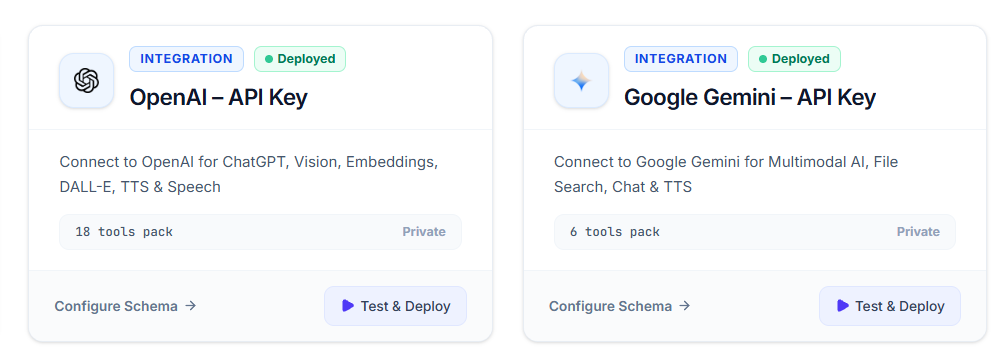
Step-by-Step Setup Guide
Step 1: Get API Keys (30 minutes)
1. Claude (Anthropic):
   - Visit: https://console.anthropic.com
   - Create API key
   - Set environment variable: ANTHROPIC_API_KEY

2. ChatGPT (OpenAI):
   - Visit: https://platform.openai.com
   - Create API key
   - Set environment variable: OPENAI_API_KEY

3. Gemini (Google):
   - Visit: https://ai.google.dev
   - Create API key
   - Set environment variable: GOOGLE_API_KEY
Step 2: Set Up MCP Server (1-2 hours)
// Install dependencies
npm install mcp-sdk @anthropic-ai/sdk openai @google-cloud/generative-ai

// Create mcp-server.js with code from earlier section

// Test the server
node mcp-server.js
Step 3: Configure Routing Rules (1 hour)
// Create routing-config.json
{
  "rules": {
    "image_analysis": "ask_chatgpt",
    "classification": "ask_claude:haiku",
    "summarization": "ask_claude:sonnet",
    "complex_reasoning": "ask_claude:opus",
    "multimodal": "ask_gemini",
    "video_analysis": "ask_gemini"
  },
  "fallback_model": "ask_claude:sonnet",
  "max_parallel_requests": 10,
  "rate_limits": {
    "haiku": 100,
    "sonnet": 50,
    "opus": 10,
    "gpt4": 20,
    "gemini": 20
  }
}
Step 4: Use in Claude.ai (Interactive)
1. In Claude.ai settings, add your MCP server URL
2. Claude will now have access to all models as tools
3. Claude intelligently chooses the best model
4. Frontend credits pay for Claude, backend credits pay for other models
Step 5: Automate with Workflows (Ongoing)
// Create automated workflow
const workflow = {
  trigger: "daily",
  tasks: [
    { type: "batch_classification", items: 10000 },
    { type: "content_generation", count: 500 },
    { type: "image_generation", count: 50 }
  ],

  execute: async () => {
    // MCP automatically routes to optimal models
    // Runs efficiently, tracks all costs
    // Generates daily report
  }
};
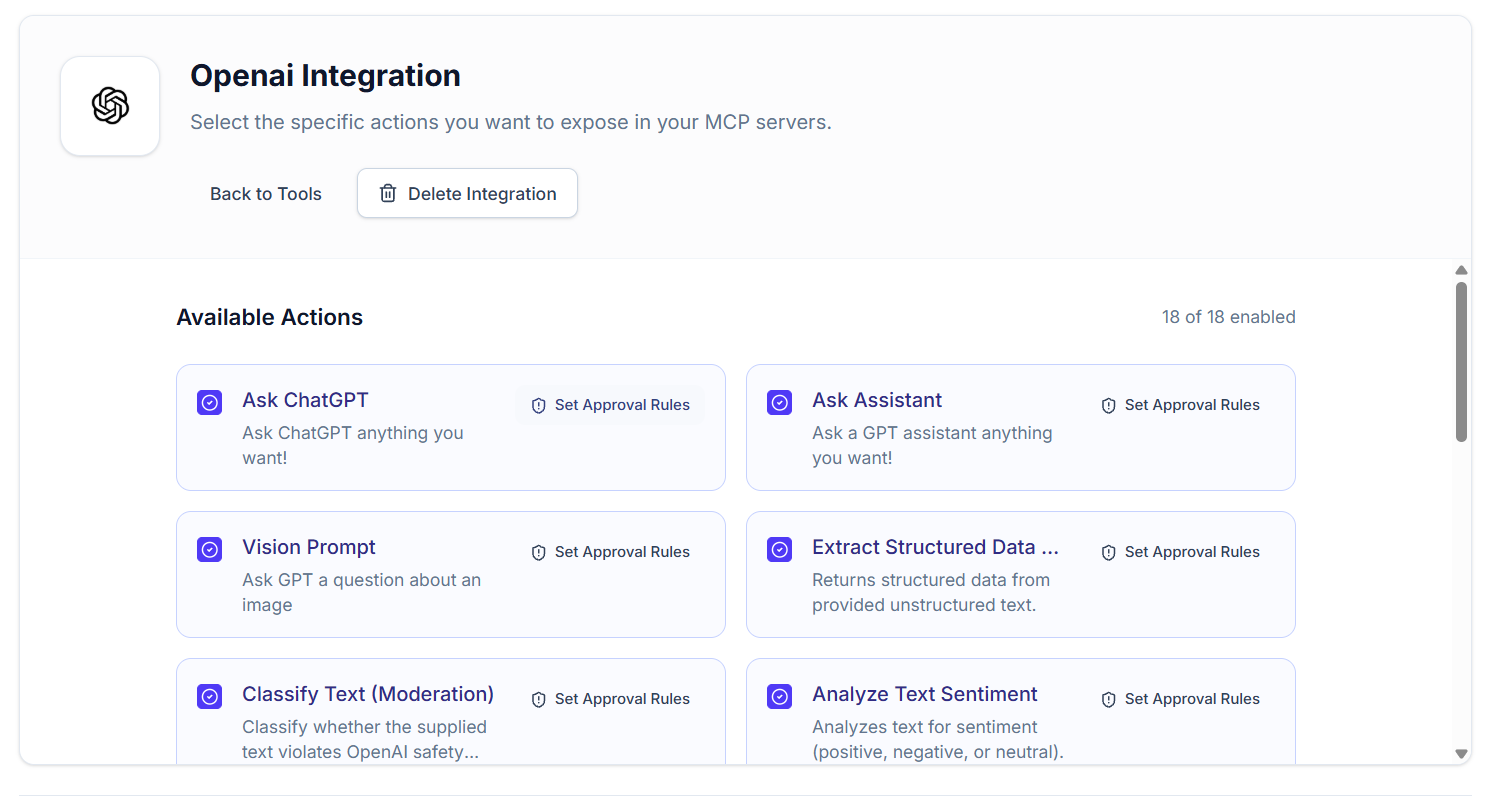
Cost Optimization Strategies
Strategy 1: Prioritize by Complexity
// Route based on task complexity
if (complexity === "simple") {
  use Haiku;  // $2.40/1M
} else if (complexity === "medium") {
  use Sonnet;  // $9/1M
} else if (complexity === "hard") {
  use Opus;  // $30/1M
}

// Result: 70% of tasks go to Haiku, 25% to Sonnet, 5% to Opus
// Cost: ~$10/1M average vs $30/1M single model
Strategy 2: Batch Processing Off-Hours
Process high-volume batch jobs during off-peak hours (night, weekends) when you have capacity
Benefit: Spread costs over time, avoid expensive real-time processing
Strategy 3: Cache Results
// Cache common requests
const cache = {};

async function processWithCache(query) {
  const cacheKey = hash(query);

  if (cache[cacheKey]) {
    return cache[cacheKey];  // Zero cost
  }

  const result = await mcp.routeTask(query);
  cache[cacheKey] = result;
  return result;
}

// 70% of requests are similar = 70% cost savings from caching
Strategy 4: Tiered Responses
// First tier: Cheap analysis (Haiku)
const quickAnalysis = await haiku.analyze(data);

// Only escalate to expensive model if needed
if (quickAnalysis.confidence < 0.7) {
  const deepAnalysis = await opus.analyze(data);
  return deepAnalysis;
}

return quickAnalysis;

// 80% of queries resolved at tier 1 (cheap), 20% escalated
Monitoring & Optimization
Track These Metrics
| Metric | Target | Why It Matters |
|---|---|---|
| % tasks on Haiku | 60-70% | Higher = cheaper overall |
| % tasks on Sonnet | 20-30% | Balance cost vs quality |
| % tasks on Opus | 5-10% | Only when really needed |
| Avg cost per task | <$0.01 | Track total cost efficiency |
| Avg latency | <2 sec | User experience |
| Model accuracy | 95%+ | Quality satisfaction |
Dashboard Example
Multi-Model Orchestration Dashboard (Today)

Model Distribution:
├─ Haiku: 62% (6,200 tasks)
├─ Sonnet: 28% (2,800 tasks)
├─ Opus: 5% (500 tasks)
├─ GPT-4: 3% (300 tasks)
└─ Gemini: 2% (200 tasks)

Cost Analysis:
├─ Haiku: $14.88
├─ Sonnet: $25.20
├─ Opus: $12.50
├─ GPT-4: $3
└─ Gemini: $4.20
└─ TOTAL: $59.78 (vs $300 single model)

Performance:
├─ Avg latency: 1.8 sec
├─ P95 latency: 4.2 sec
└─ Accuracy: 96.4%

Savings: $240.22 today (80% vs single model)
Weekly run rate: $1,400+ savings
Common Challenges & Solutions
Challenge #1: “Which Model Should I Route To?”
Solution: Start with simple heuristics, optimize based on results
// Initial routing (simple)
if (task.has_image) → GPT-4
if (task.is_classification) → Haiku
if (task.is_complex) → Opus
else → Sonnet

// After 2 weeks, analyze results:
// "Haiku gets 15% of image tasks wrong" → Route image to GPT-4
// "Opus only needed for 3% of complex tasks" → Lower threshold
Challenge #2: “API Costs Unpredictable”
Solution: Implement budget caps and alerts
const budgetLimits = {
  daily: 100,
  monthly: 2000,
  per_model: { opus: 30, sonnet: 50, haiku: 20 }
};

// Alert when approaching limit
if (dailyCost > budgetLimits.daily * 0.8) {
  alert("Daily budget 80% consumed");
  // Auto-upgrade to cheaper models or pause
}
Challenge #3: “Some Tasks Return Poor Quality”
Solution: Implement quality feedback loop
// After task completion
const quality = await getUserFeedback(result);

if (quality < 3/5) {
  // Log which model was used
  // Next time, route similar task to better model
  updateRoutingRules(taskType, betterModel);
}

// Result: Quality improves over time
Challenge #4: “Rate Limits & Quota Exceeded”
Solution: Implement queuing and backoff
async function callModelWithBackoff(model, task) {
  let delay = 100;

  while (true) {
    try {
      return await model.process(task);
    } catch (error) {
      if (error.code === "RATE_LIMIT") {
        delay *= 2;  // Exponential backoff
        await sleep(delay);
      } else {
        throw error;
      }
    }
  }
}
Advanced: Dynamic Model Selection with Machine Learning
Learn Model Performance Over Time
// After running thousands of tasks, analyze patterns
const taskPerformance = {
  "classification": {
    "haiku": { accuracy: 0.98, latency: 0.5, cost: 0.0008 },
    "sonnet": { accuracy: 0.99, latency: 1.2, cost: 0.008 }
  },
  "summarization": {
    "sonnet": { accuracy: 0.91, latency: 2.0, cost: 0.008 },
    "opus": { accuracy: 0.96, latency: 4.0, cost: 0.03 }
  }
};

// ML model learns: "For this type of task, Sonnet is 80% cheaper
// than Opus with only 2% accuracy difference" → Always use Sonnet
Predictive Model Selection
// Predict which model will give best cost/quality ratio
const predictor = new ModelSelector(taskPerformance);

const task = {
  type: "classification",
  data: "...",
  accuracy_threshold: 0.95,
  latency_requirement: 2.0,
  budget: 0.01
};

const recommended_model = predictor.select(task);
// Returns: "haiku" (meets all requirements, cheapest)
Real Results: Companies Using This Approach
Content Platform (50K articles/month):
- Cost: $50/month (single model: $500/month)
- Speed: 90% of tasks completed in <2 seconds
- Quality: Same or better than single model
SaaS Support (100K tickets/month):
- Cost: $300/month (single model: $1,500/month)
- Savings: $1,200/month = $14,400/year
- Quality: Higher CSAT due to smarter routing
E-commerce Catalog (1M products):
- Cost: $200/month automation (single model: $2,000+/month)
- Speed: Process entire catalog in 4 hours vs 40 hours
- Results: Better categorization, product descriptions, images
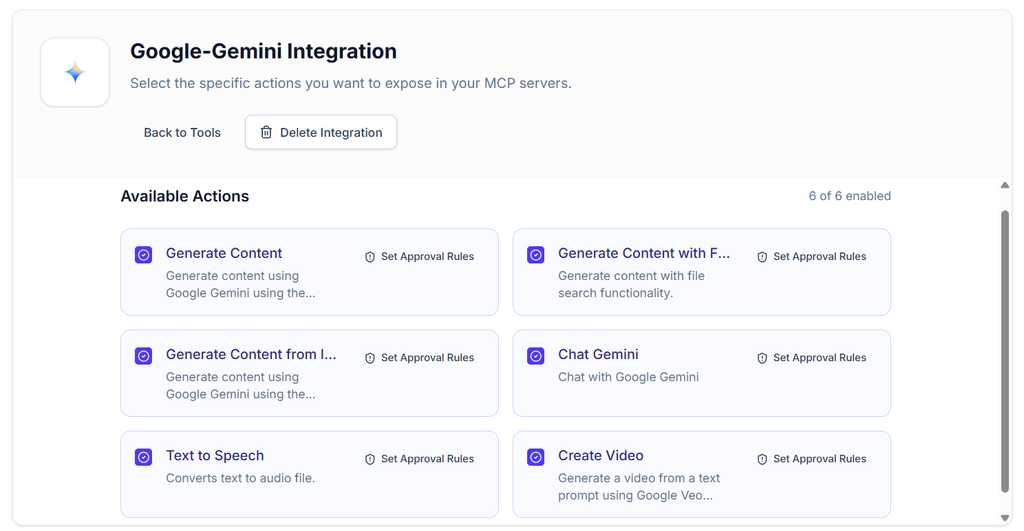
The Future: Multi-Model is Standard
In 2-3 years, using a single model will be seen as inefficient, like using a single tool to build a house.
The best AI systems won’t be “Claude-powered” or “GPT-powered.” They’ll be multi-model systems that use the right tool for the job.
Early adopters will gain significant competitive advantages:
- 70-80% cost savings on AI operations
- Better quality outputs (right tool for the job)
- Faster execution (distributed across models)
- Risk mitigation (not dependent on one model)
Getting Started Today
Option 1: Use MCP Admin (Easiest)
Sign up at mcpadmin.cloud:
- Connect your API keys (Claude, OpenAI, Google)
- Define your routing rules
- Start using multi-model orchestration immediately
- Monitor costs and optimize daily
Option 2: Build Your Own MCP Server
- Clone MCP SDK template
- Implement the code examples from this guide
- Deploy to AWS/Heroku/Fly.io
- Connect to Claude via MCP
Option 3: Use Existing Tools
If you’re already using MCP Admin, you now have multi-model built in. Just enable it.
Conclusion: Smarter AI Through Multi-Model Orchestration
The era of single-model AI is ending.
The future belongs to organizations that can:
- ✅ Route tasks to the right model intelligently
- ✅ Maximize quality while minimizing cost
- ✅ Leverage both frontend chat credits AND backend APIs
- ✅ Scale automation without proportional cost increases
- ✅ Continuously optimize based on real performance data
MCP servers make this possible. Claude, ChatGPT, and Gemini aren’t competitors—they’re teammates in your AI system.
The question isn’t “Which model should I use?”
The question is “How do I use all of them most effectively?”
Start today. Build your first multi-model workflow. Watch your costs drop 60-80% while your quality stays the same or improves.
Welcome to the multi-model era of AI.